EP783/EP783S/EP783L/OPX5000/TX783L/TX783S
Condential
5-10
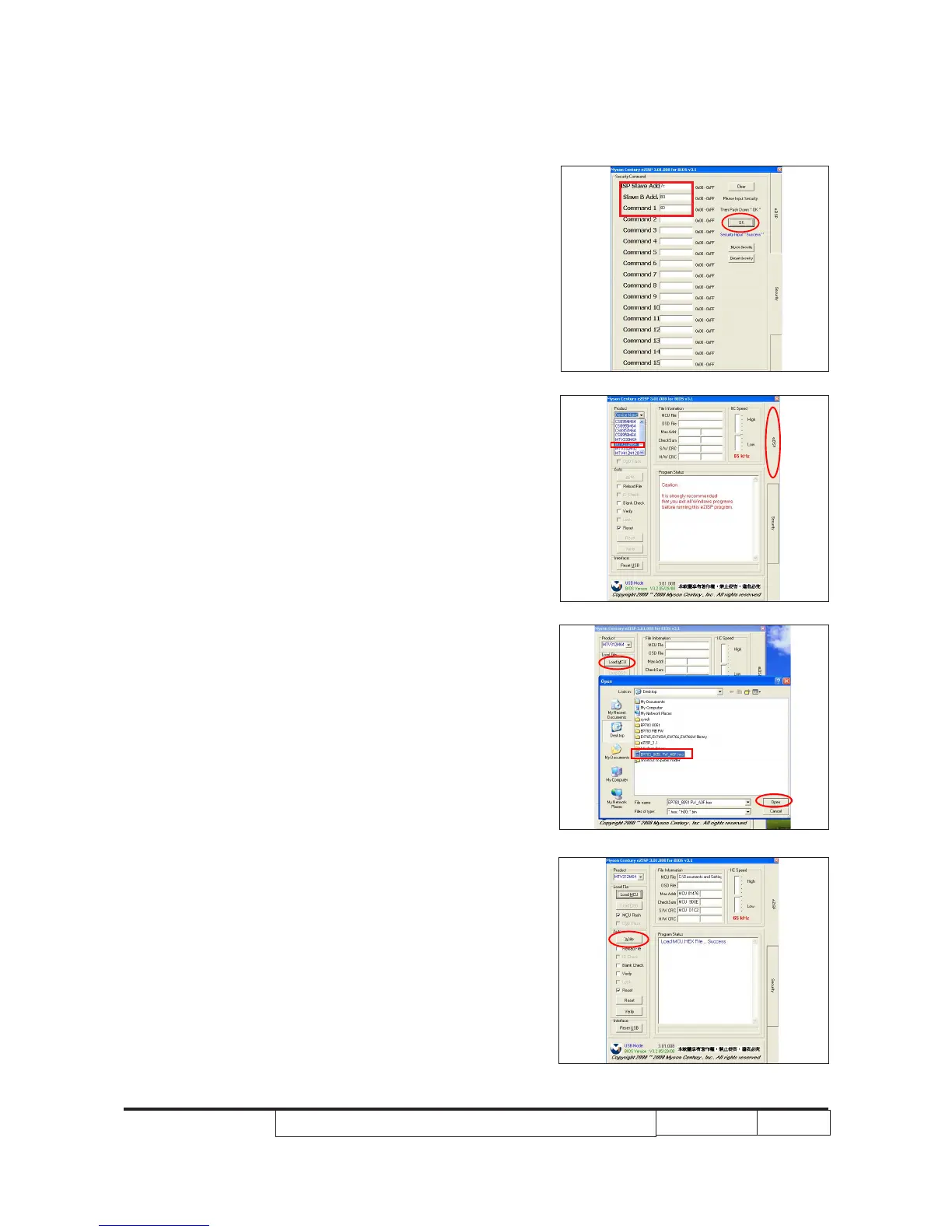
4. Set secrity tabel
- Set “7C,B0,83” as secrity number(as red square).
- Click “OK”(as red circle).
5. Click “eZISP".
- Click “Device Name”, select
“MTV312M64”.
6.
- Click “Load MCU” to search the MCU le.
- Click “Open”.
7. Click “Write” button process the rmware
upgrade.



 To Next Page