EX765/EW766/EX765W/EW766W
Condential 2-17
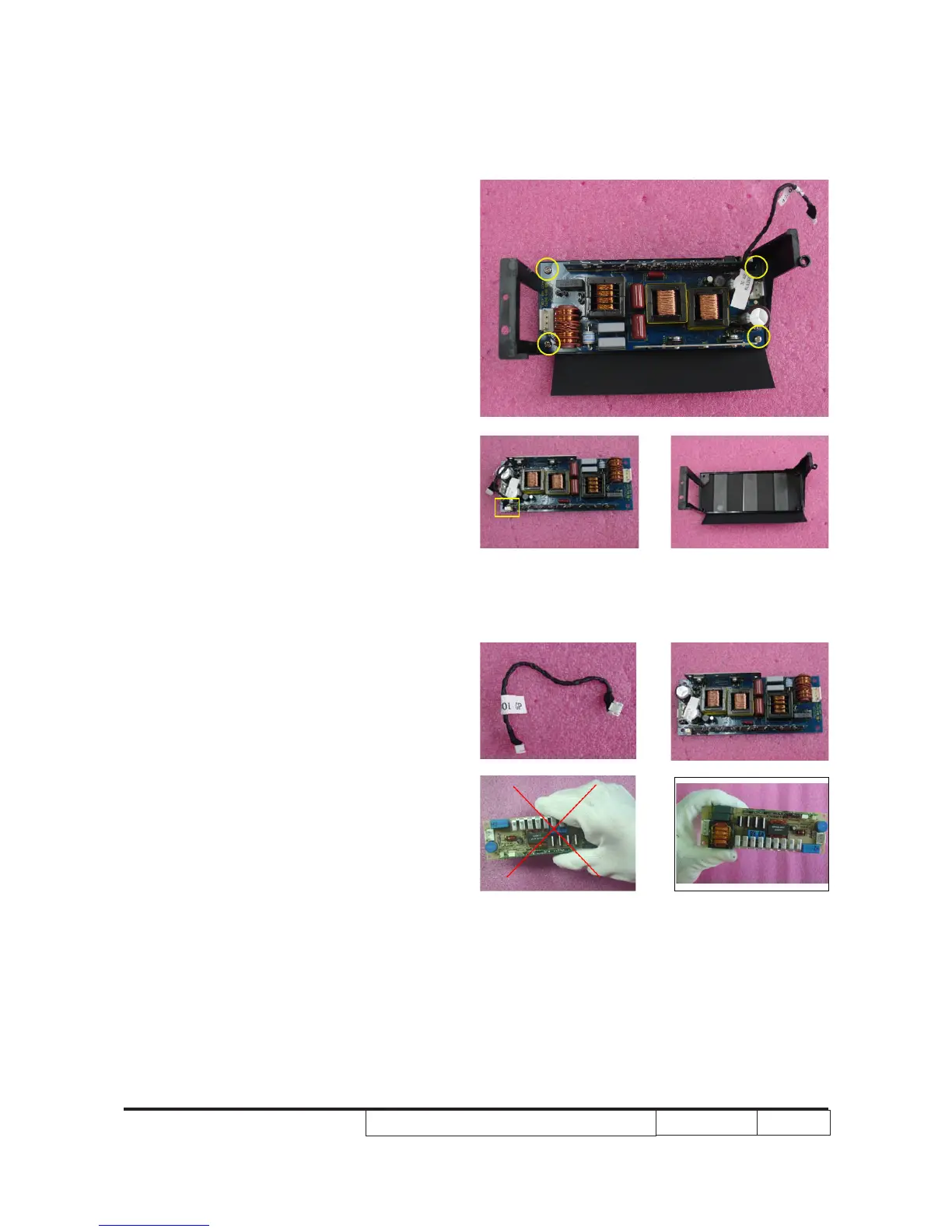
3. Unscrew 4 screws (as yellow circle).
4. Separate lamp driver and its �older.
Unplug 1 connector (as yellow square) to
remove 5pin cable.
5. Disassembled lamp driver.
Note: Please hold lamp driver in the right way,
the same to LVPS.
OK



 To Next Page