EX765/EW766/EX765W/EW766W
Condential 2-18
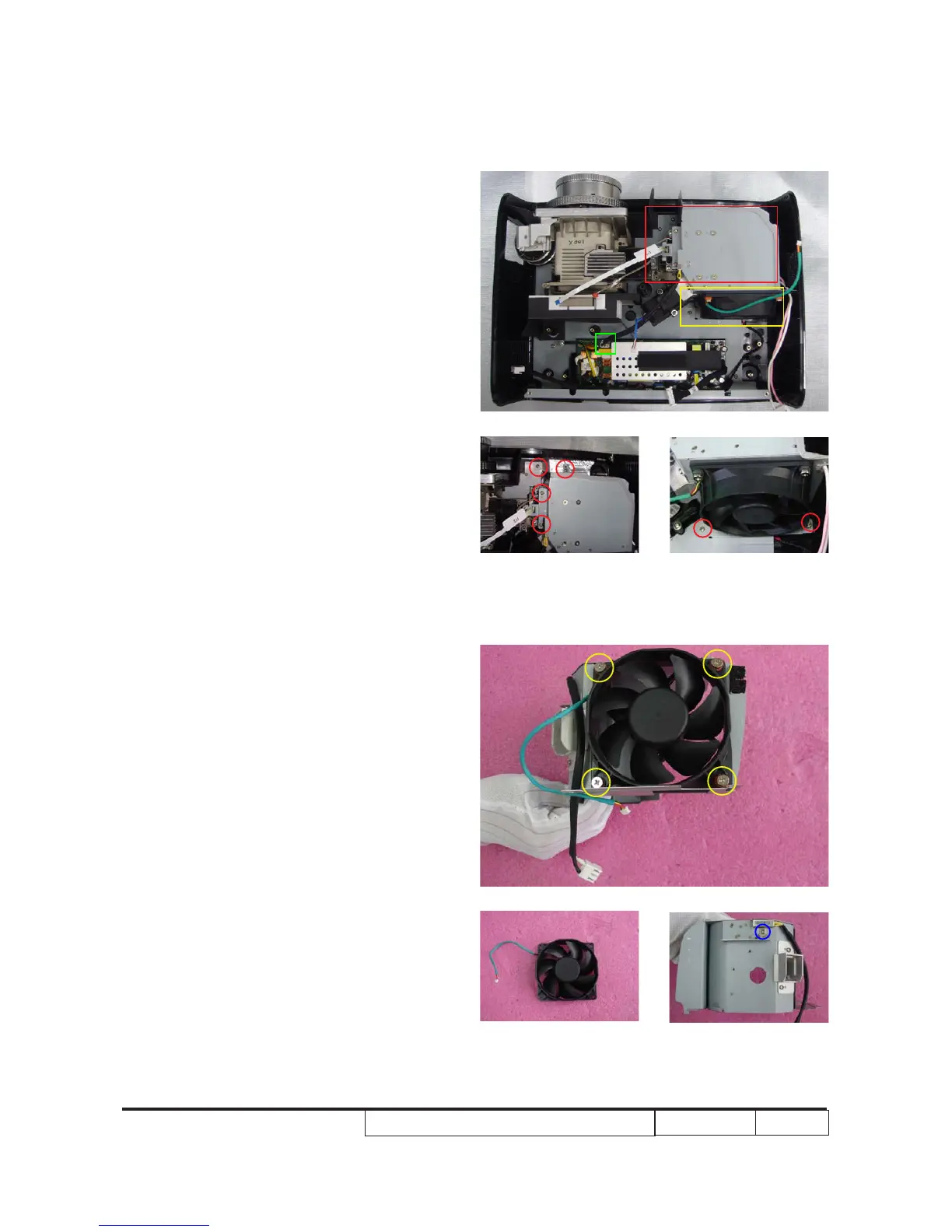
2-9 Disassemble Fan Module
1. Unplug 1 connector (as green square)
w�ic� is on t�e LVPS module.
2. Unscrew 6 screws (as red circle) to
remove fan module.
3. Unscrew 4 screws (as yellow circle) to
remove fan from its �older.
4. Unscrew 1 screw (as blue circle).
B
B
A
1
A
2
3
4
5
6



 To Next Page