EX765/EW766/EX765W/EW766W Condential
5-21
5-4-2 Wireless FW Upgrade
Procedure
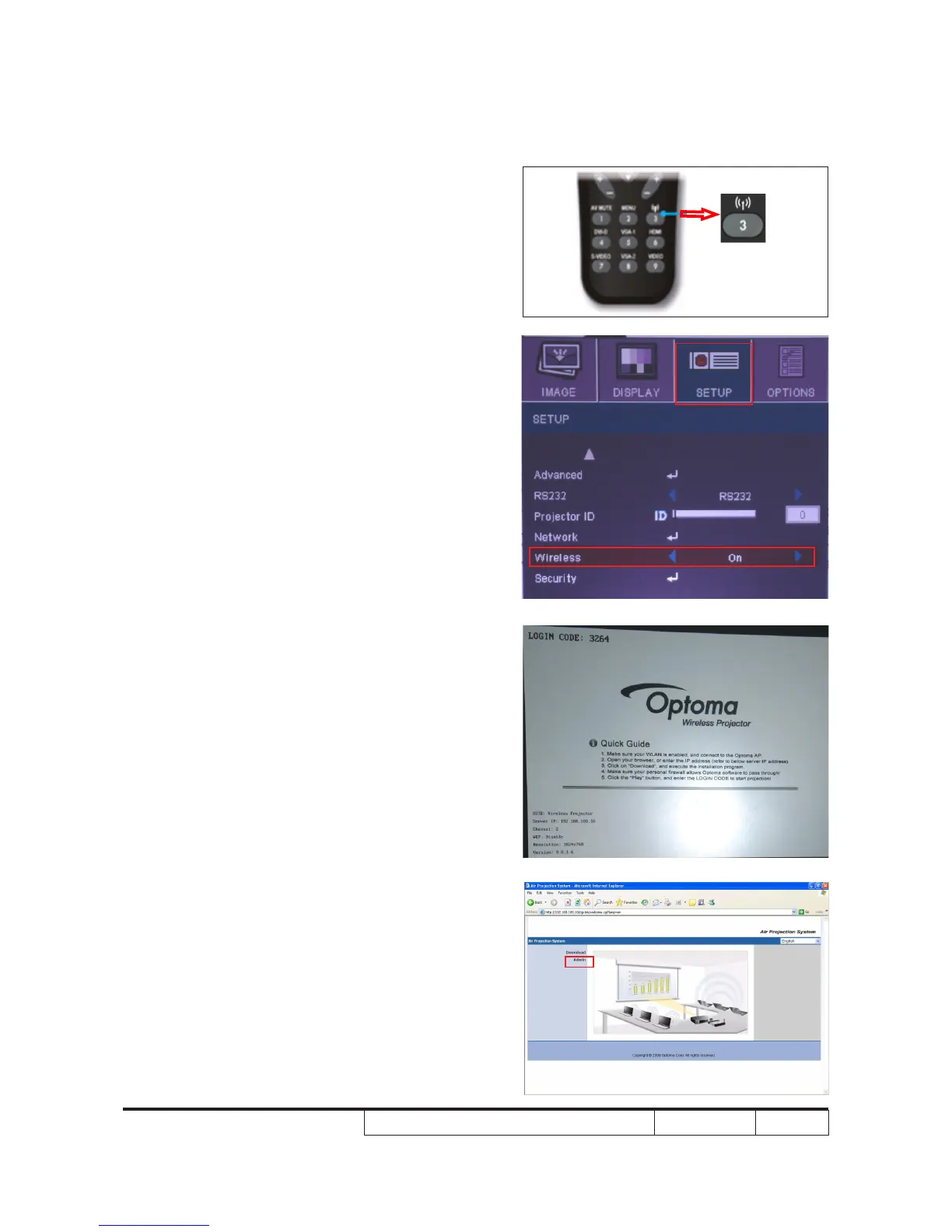
1. Press wireless button on remote control or
turn on Wireless function in the OSD menu
(SETUP->Wireless->On) to activate wireless.
2. When projector shows the wireless screen,
it indicates the wireless module is ready to be
connected.
3. Execute internet explorer and it will enter
Optoma Air Projection System automatically.
If not, key in the IP address recorded in
4-10-1-(3) to get into the website.
Choose "Admin".
(1)
(1)
(2)
(3)



 To Next Page