EX765/EW766/EX765W/EW766W
Condential 2-3
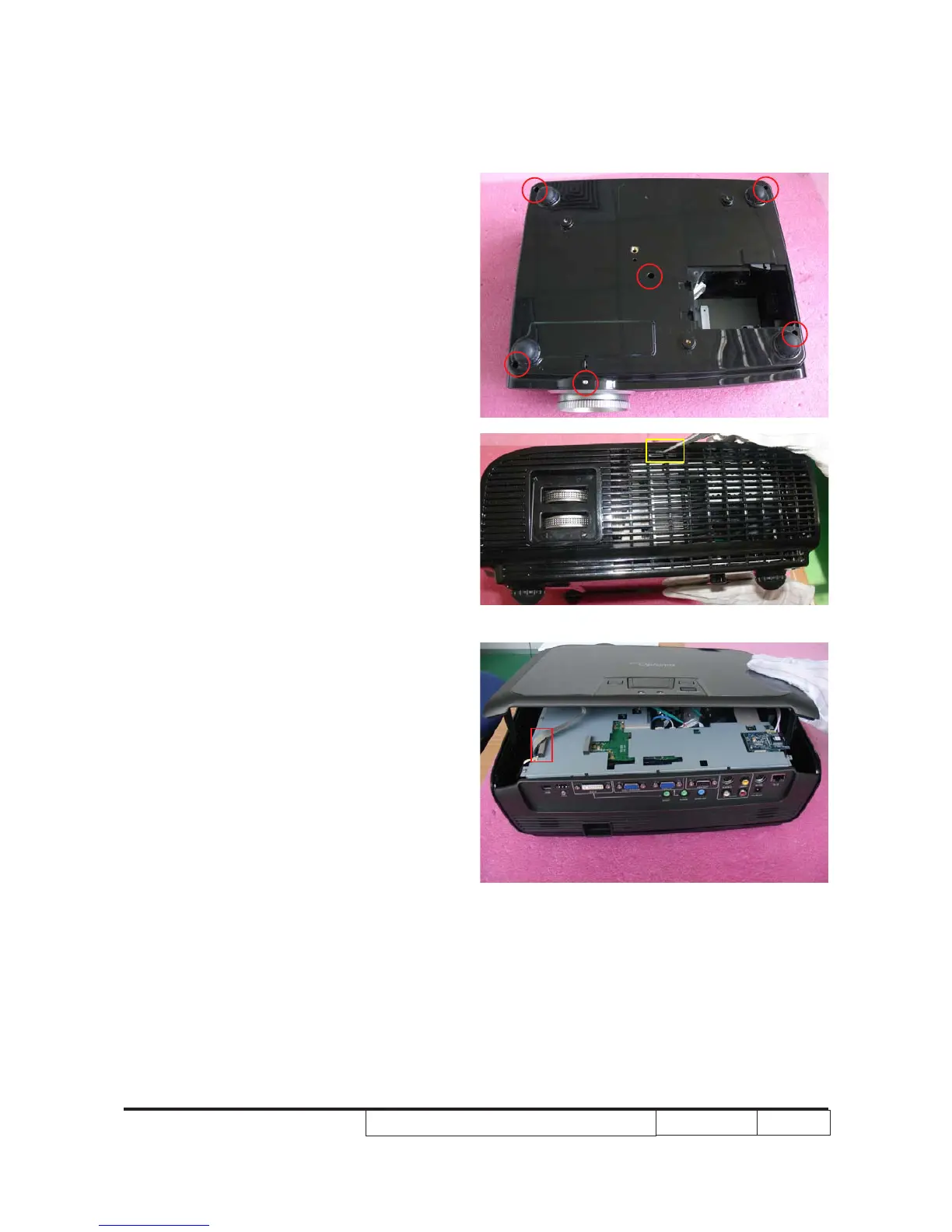
2-3 Disassemble Top Cover
Module
1. Unscrew 6 screws (as red circle) on t�e(as red circle) on t�e on t�e
bottom cover.
2. Use a tweezer to open 1 clip (as yellowUse a tweezer to open 1 clip (as yellow
square) on one side of t�e projector.
(Same procedure for t�e ot�er side)
3. Open t�e top cover slig�tly as it is still
connected wit� main board by a FPC
cable.
Unplug t�e FPC cable (as red square)
and remove t�e top cover.



 To Next Page