Condential
4-14
EX765/EW766/EX765W/EW766W
4-9 Network Function Test
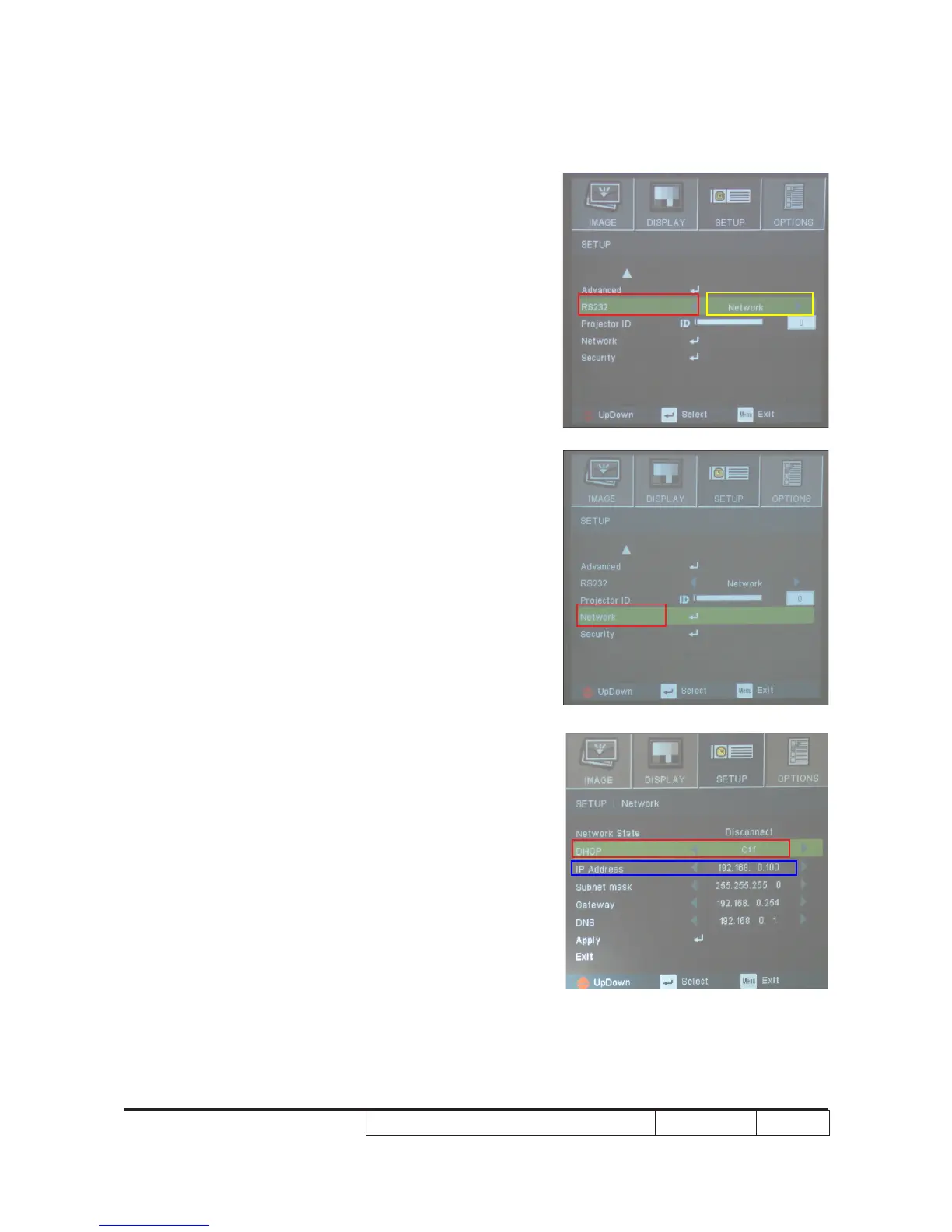
1. Read Projector IP
1. Turn on the unit, press "Menu" button to get into OSD
Mode.
- Select "SETUP". Use "Down" button to remove the
light mark to "RS232", then press "Enter" button.
- Select "Network", press "Enter" button.
2. Use "Down" button to remove the light mark to
"Network", press "Enter" button.
3. Select "DHCP", press "Enter" button.
- Select "Off", press "Enter" button.
- The IP address will be shown on screen
(as blue square).



 To Next Page