Condential
4-17
EX765/EW766/EX765W/EW766W
4-10 Wireless Function Test
(Only for EX765W & EW766W)
1. Projector & PC Setting
(1) Power on projector.
Connect the antenna to projector and ensure the
connection is OK.
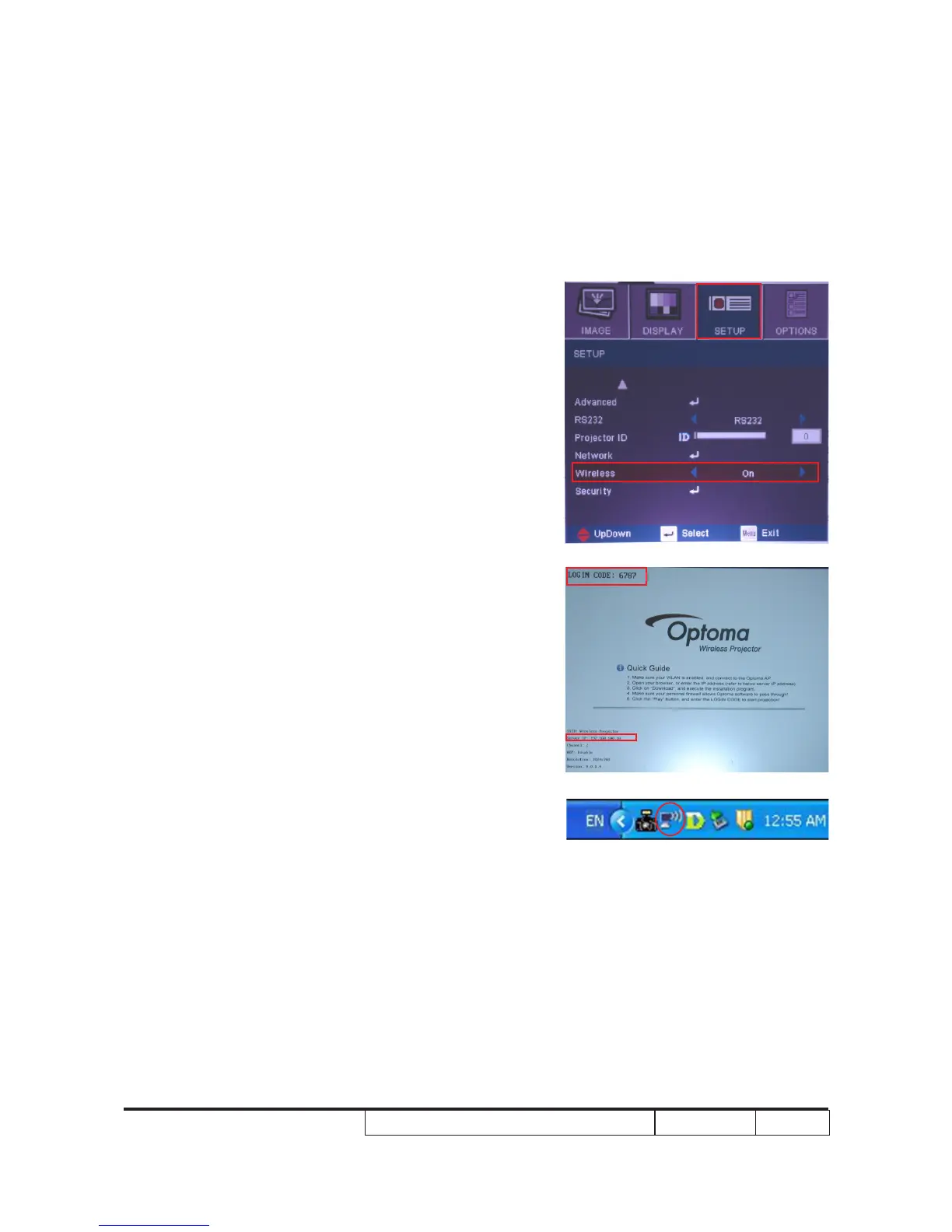
Press “Menu” button to get into OSD Mode.
(2) Select “SET UP->Wireless”, choose “On”.
(3) The projected image is as right picture.
Record “LOGIN CODE” and “IP address”.
(4) Connect WLAN connection with PC.
(5) Move the mouse to the bottom right corner of the screen
and double click the icon marked in right picture.
(5)
(3)
(2)



 To Next Page