EX765/EW766/EX765W/EW766W Condential
5-18
5-3-4 Network FW Upgrade
Procedure
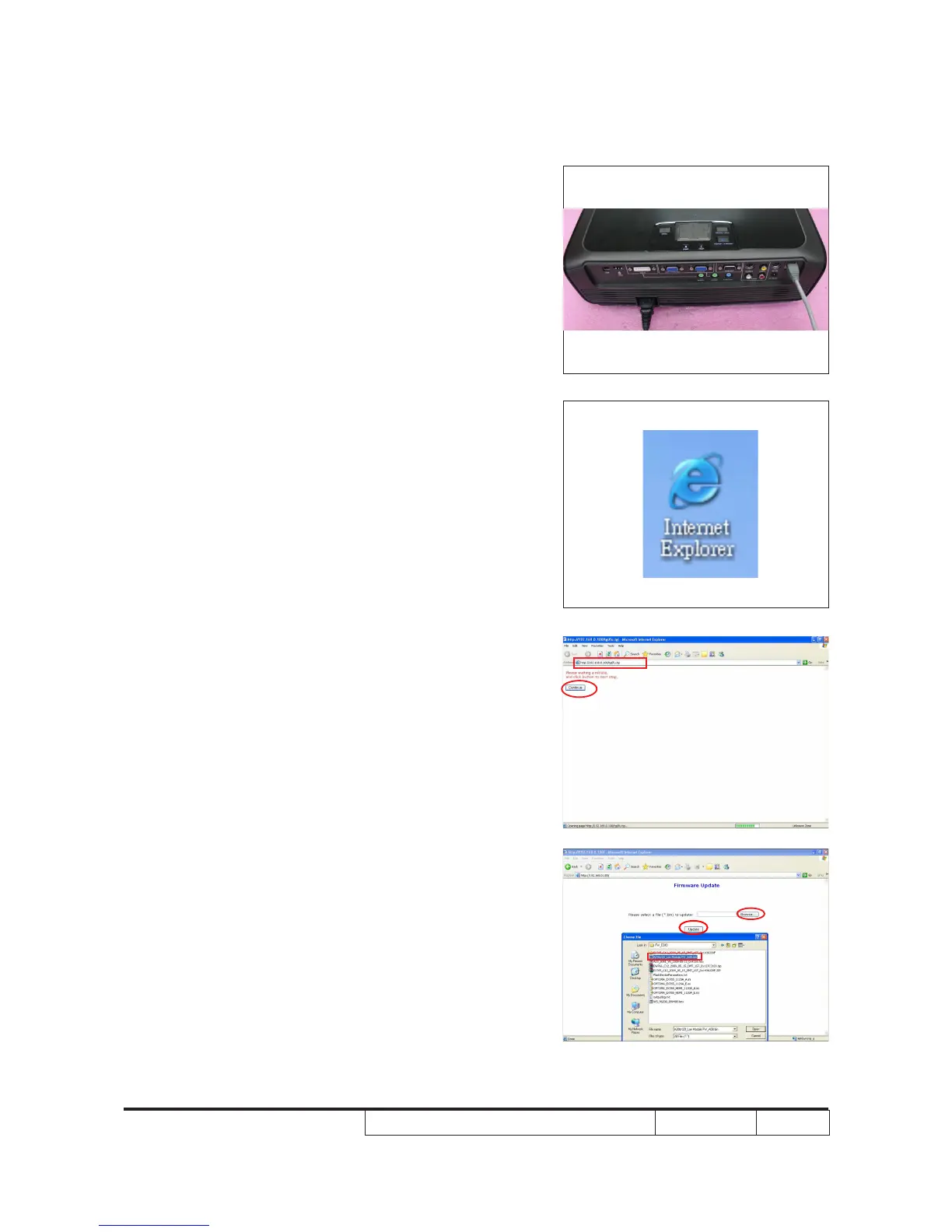
1. Connect PC with the Projector by LAN Cable.
2. Execute "Internet Explorer".
3. Key-in IP Address "http:// 192.168.0.100/tgi/
fu.tgi",and click "Continue" to get into
Firmware Update screen.
4. - Click "Browse" button to select the FW le (*.bin).
- Click "Update" to start rmware update.



 To Next Page