EX765/EW766/EX765W/EW766W
Condential 2-6
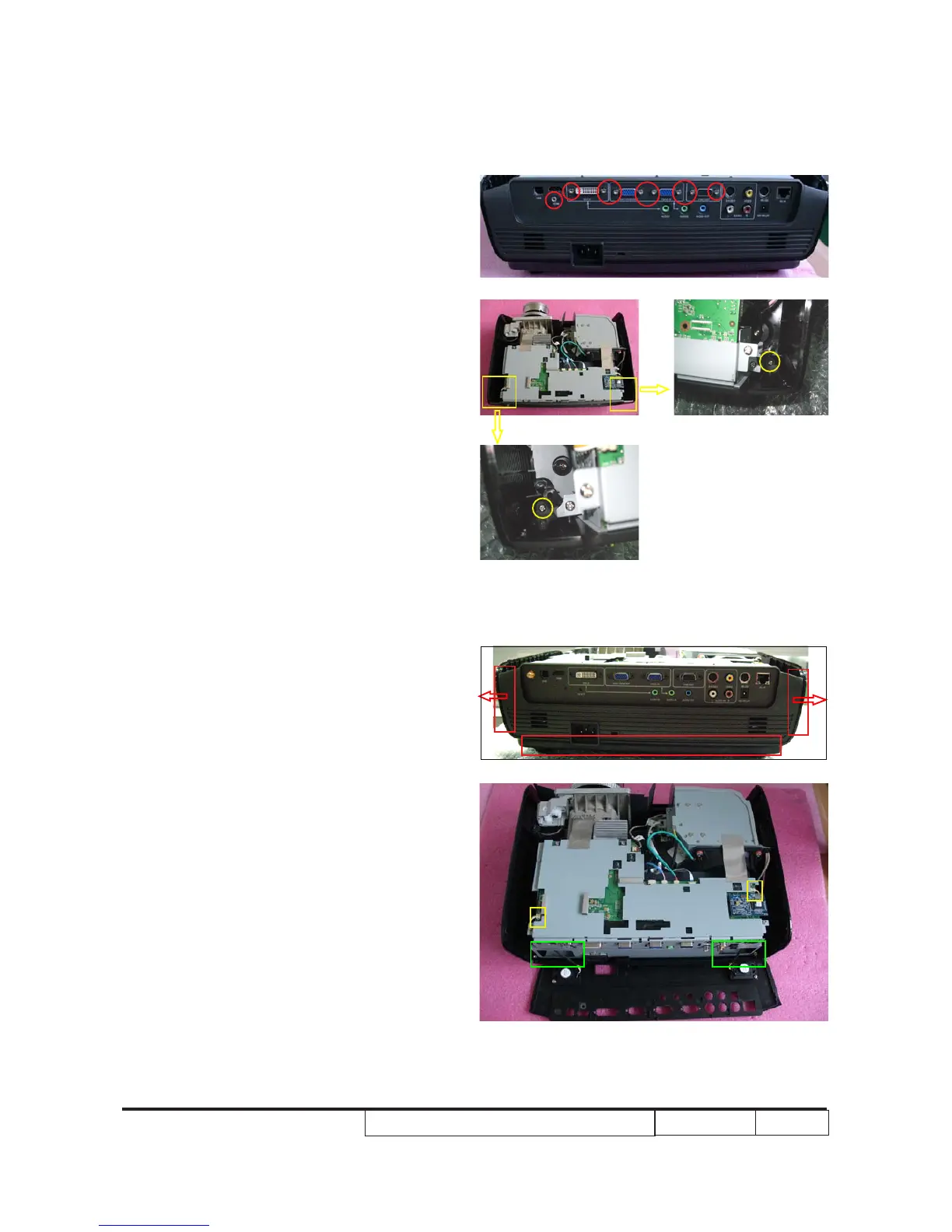
3. Open t�e clips on t�e t�ree sides of t�e
back cover (as red square).
4. Unplug 2 connectors (as yellow
square) and remove back cover module.
Note: Remember to place the speaker
cables through the holes (as green
square)
when assembling the projector.
2-4 Disassemble Back Cover
Module
1. Unscrew 9 �ex screws (as red circle).
2. Unscrew 2 screws (as yellow circle) in
t�e two �oles.
1
2



 To Next Page