EX765/EW766/EX765W/EW766W
Condential 2-5
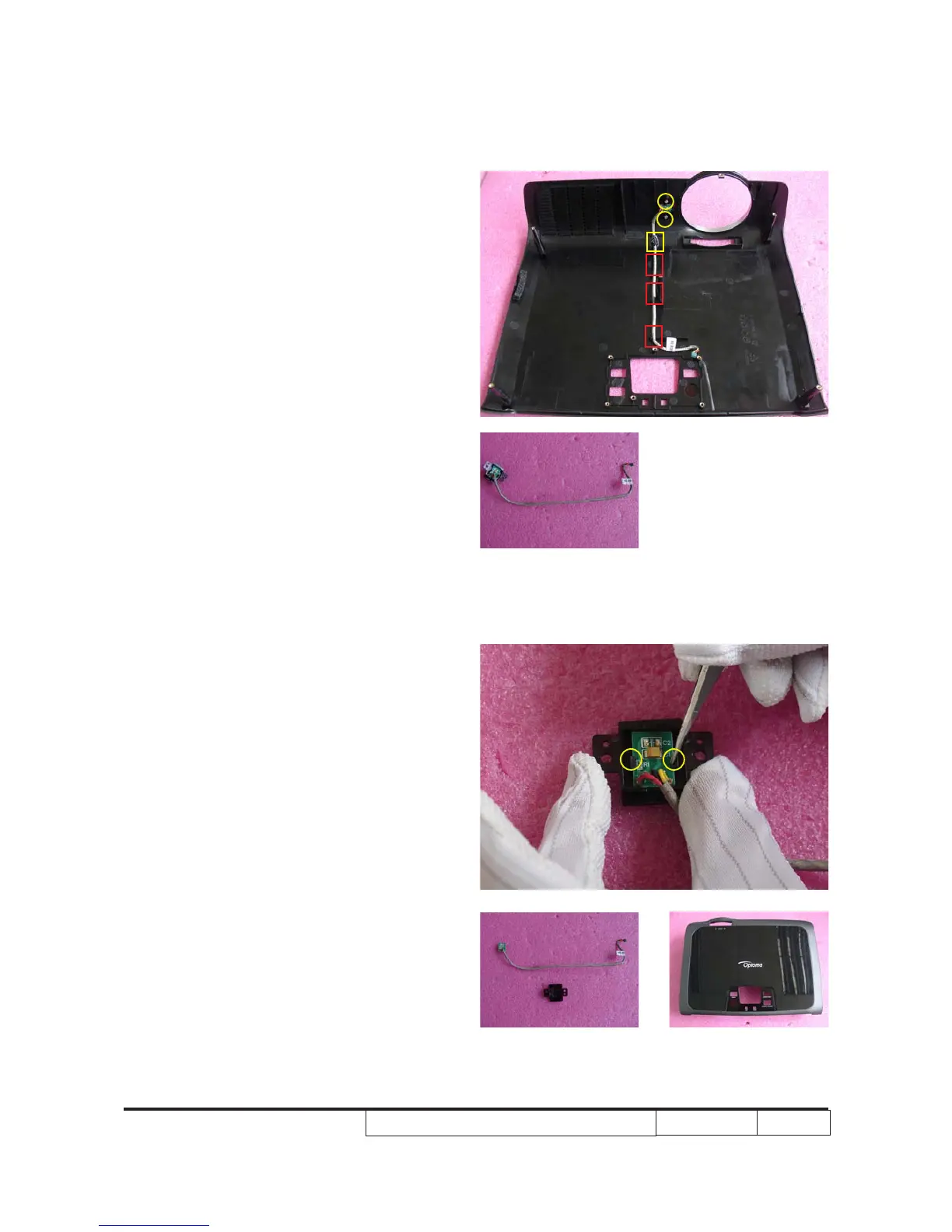
7. Use a tweezer to open 2 clips (as yellow
circle) to separate IR sensor board and
its cover.
8. Disassembled top cover.
6. Unscrew 2 screws (as yellow circle), tear
off 1 plastic (as yellow square) to remove
IR sensor board module.
Note: Make sure to place the IR cable in the
tenons (as red square) when assembling
the IR sensor board.



 To Next Page