EX765/EW766/EX765W/EW766W
Condential 2-29
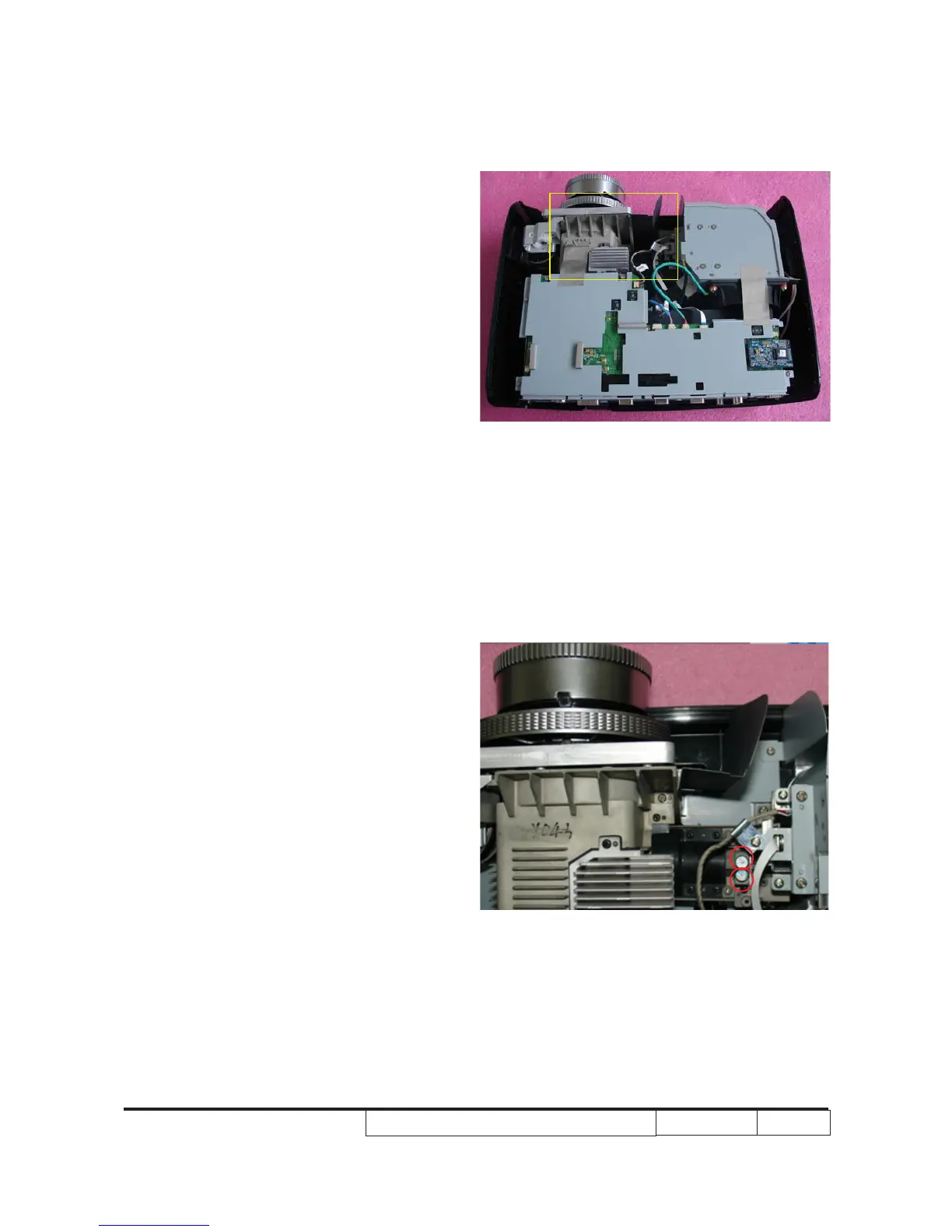
- If t�ere are s�adow / yellow lig�t / blue
lig�t at “Left” &“Rig�t” side of t�e screen,
adjust “Screw 1” to adjust Rod position.
- “Screw 2" s�ould be adjusted rst, t�en
“Screw 1".
(Adjust until t�e yellowis� or bluis� parts
disappear.)
3. Abnormal image inspection
- It s�ould not �ave any abnormal color
at t�e frame of t�e image by estimating
t�roug� t�e eyes.
Note: - Avoid over adjusting the rod.
- After the opration, please use the
glue to x the screws.
2-14 Rod Adjustment
1. Environment adjustment
- T�e distance between t�e engine and
t�e screen is 2M.
- T�is process s�ould be done at a dark
environment. (under 10 Lux)
2. Procedure adjustment
- Make sure t�e signal source outputs
“w�ite screen.”
- Adjust t�e screws(as red square) to
revise t�e image.
- If t�ere are s�adow at “Top” & “Bottom”
side of t�e screen, adjust “Screw 2” to
adjust Rod position.
A
2
1
A



 To Next Page