EX765/EW766/EX765W/EW766W Condential
5-4
5-1-3 USB Driver Upgrade
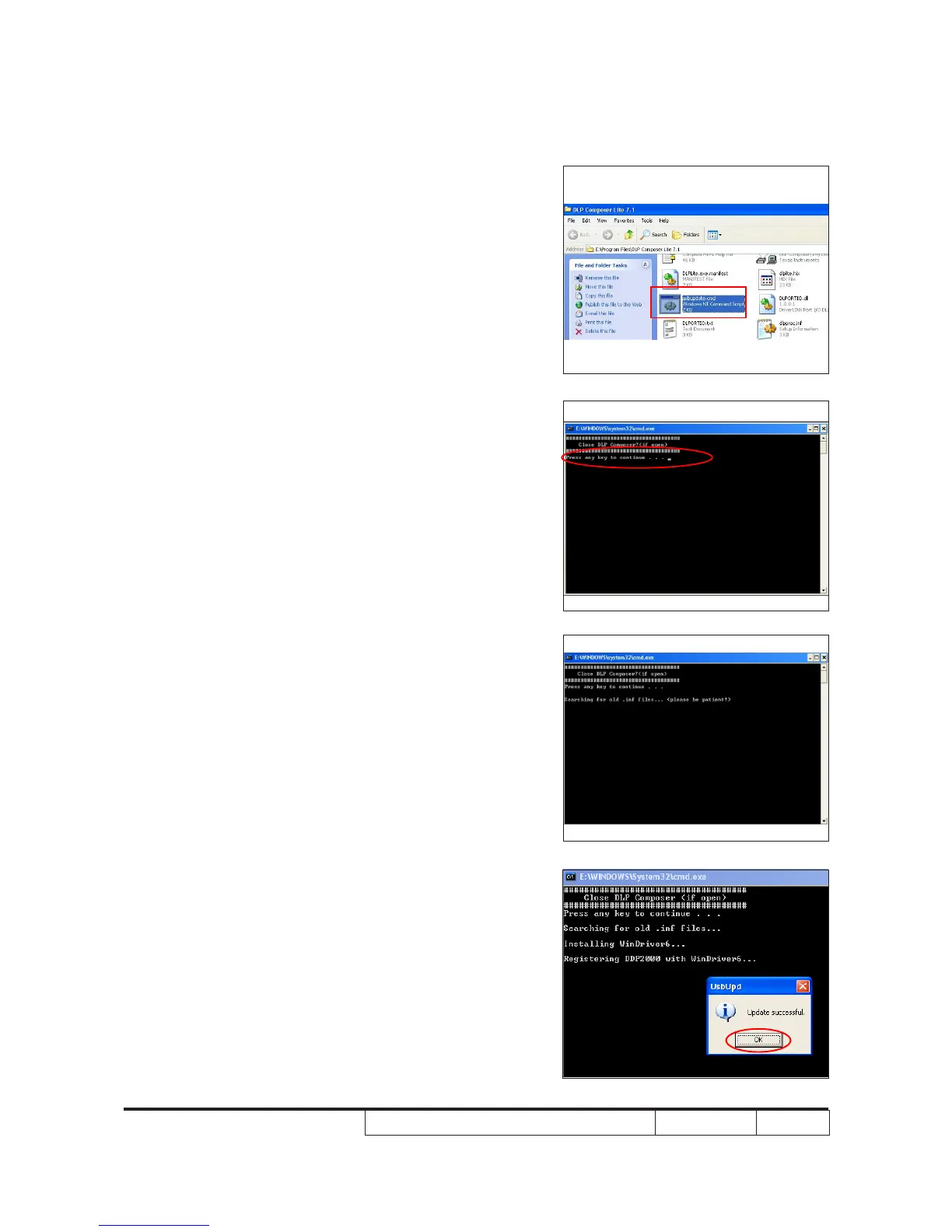
Procedure
1. Set up
- Plug in Power Cord to the projector.
- Connect PC and projector by USB Cable.
2. Execute Program
- Open the "DLP Composer Lite 7.1" folder.
- Select and double click "usbupdate.cmd".
- The picture will appear on the screen,
then press any key to continue.
Note: If the "DLP Composer Lite 7.1" le
open, please close it.
3. Finish
- The successful message will appear on
the screen, click "OK".
Note: If you have installed the USB driver, there
is no need to perform this action.



 To Next Page