EX765/EW766/EX765W/EW766W
Condential 2-24
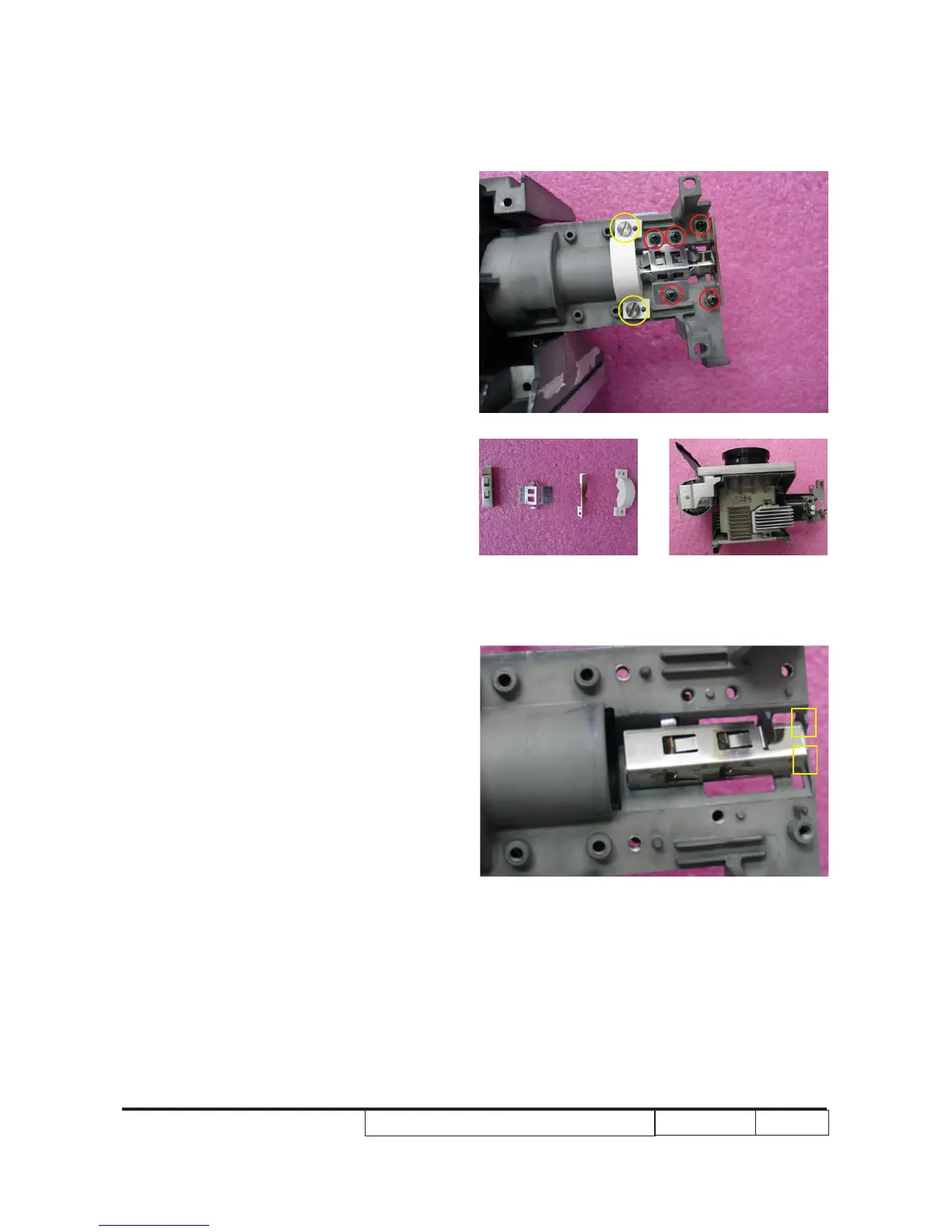
13. Unscrew 2 screws (as yellow circle) to
remove robber (D).
14. Unscrew 5 screws (as red circle) to
remove rod (A), rod spring (B), rod cover
(C).
15. Disassembled engine module.
Note: Please notice the Rod Module’s direction
when you assemble it.
Ensure right edge of Rod Module contact
with the Engine base’s blocks (as yellow
square).
A
B C D



 To Next Page