EX765/EW766/EX765W/EW766W
Condential 2-26
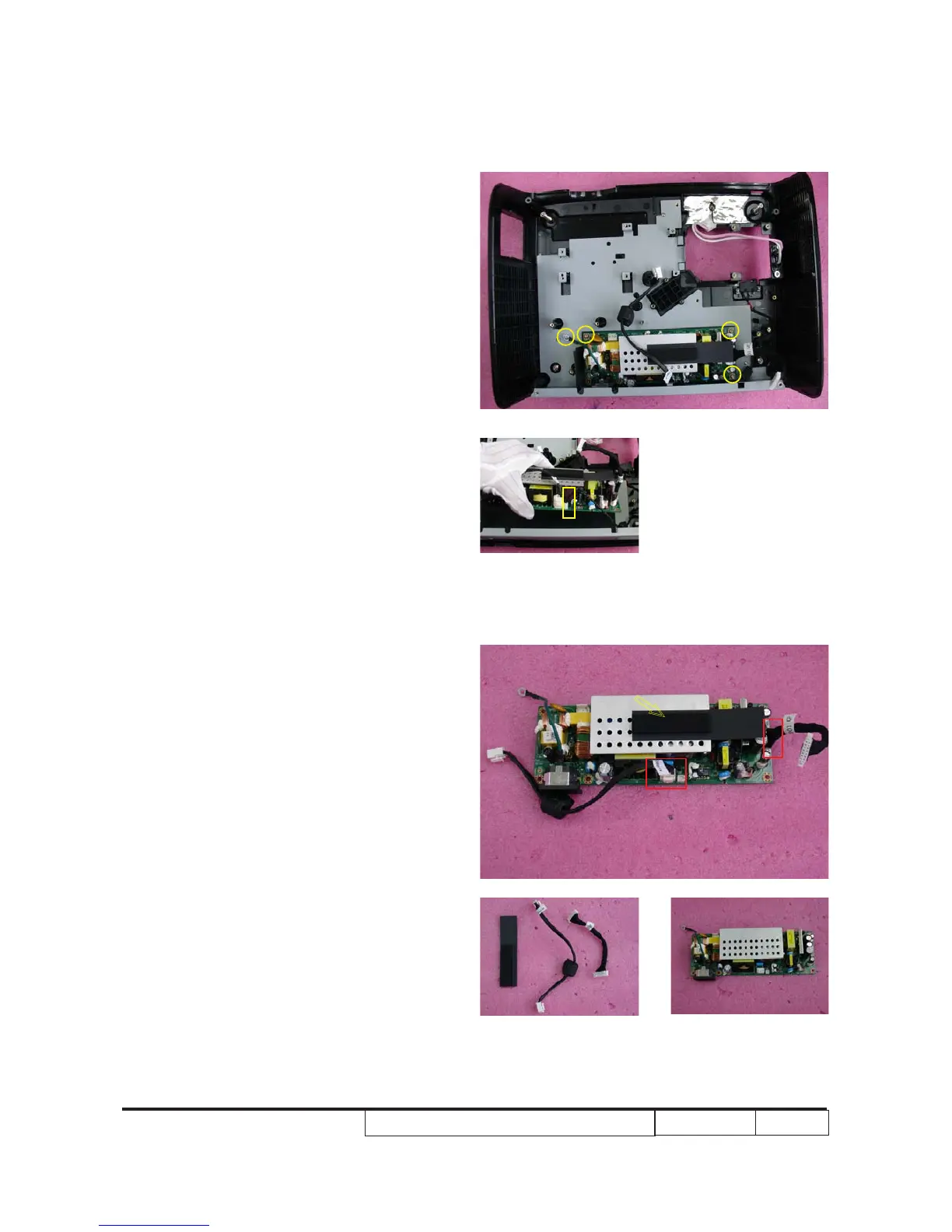
2. Unscrew 4 screws (as yellow circle).
3. Hold LVPS module and unplug 1
connector (as yellow square).
4. Unplug 2 connectors (as red square) and
tear off 1 mylar (as yellow arrow).
5. Disassembled LVPS module.



 To Next Page