Condential
4-20
EX765/EW766/EX765W/EW766W
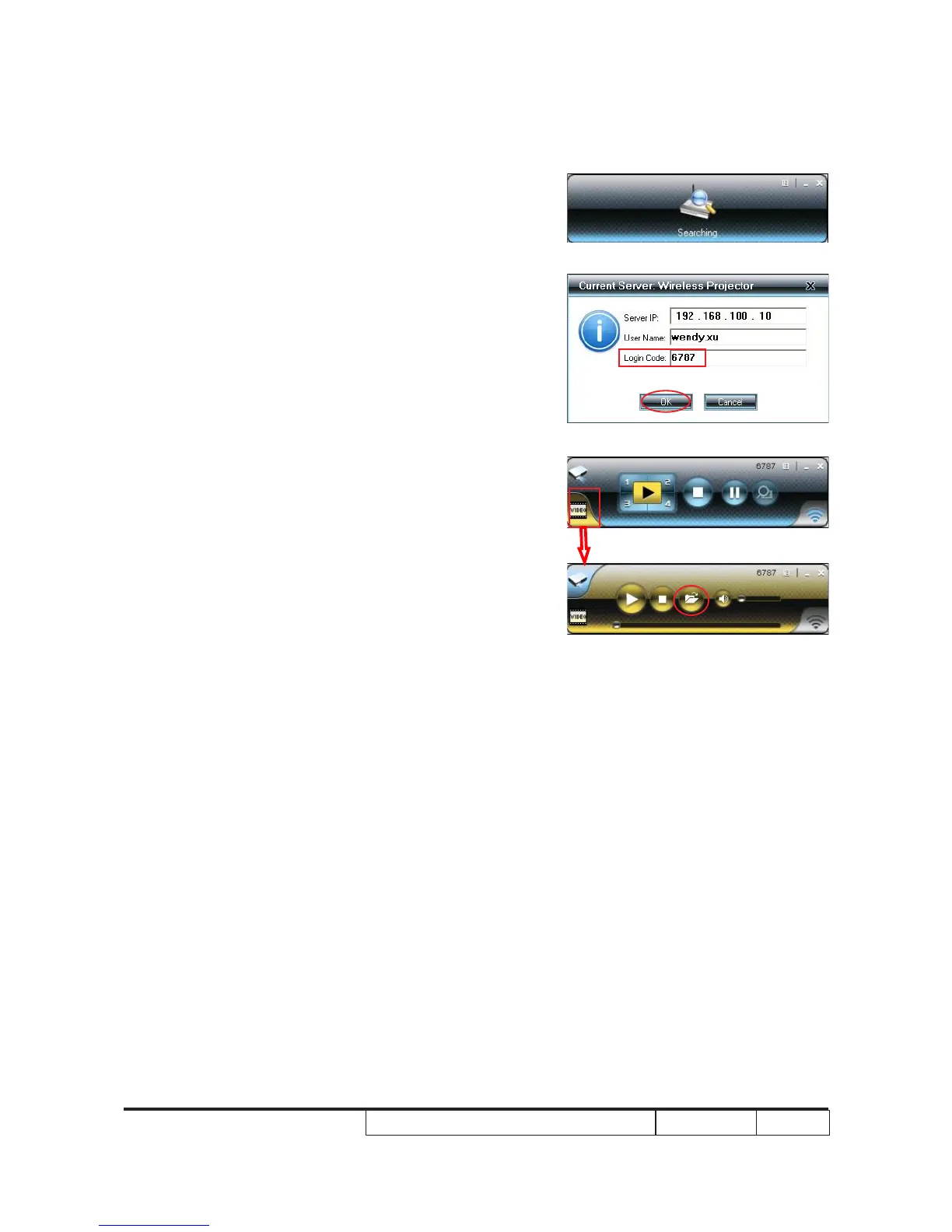
(6) “Searching” status.
(7) Key in the “Login Code” recorded in 4-10-1-(3).
Click "OK". You'll see the projected image is the same as
the computer screen, indicating the wireless module is
working.
(8) Choose “Video” mode and open a video le (*mpeg2/
wmv) to make sure the projected image is well
performed and the voice is normal.



 To Next Page