EX765/EW766/EX765W/EW766W Condential
5-7
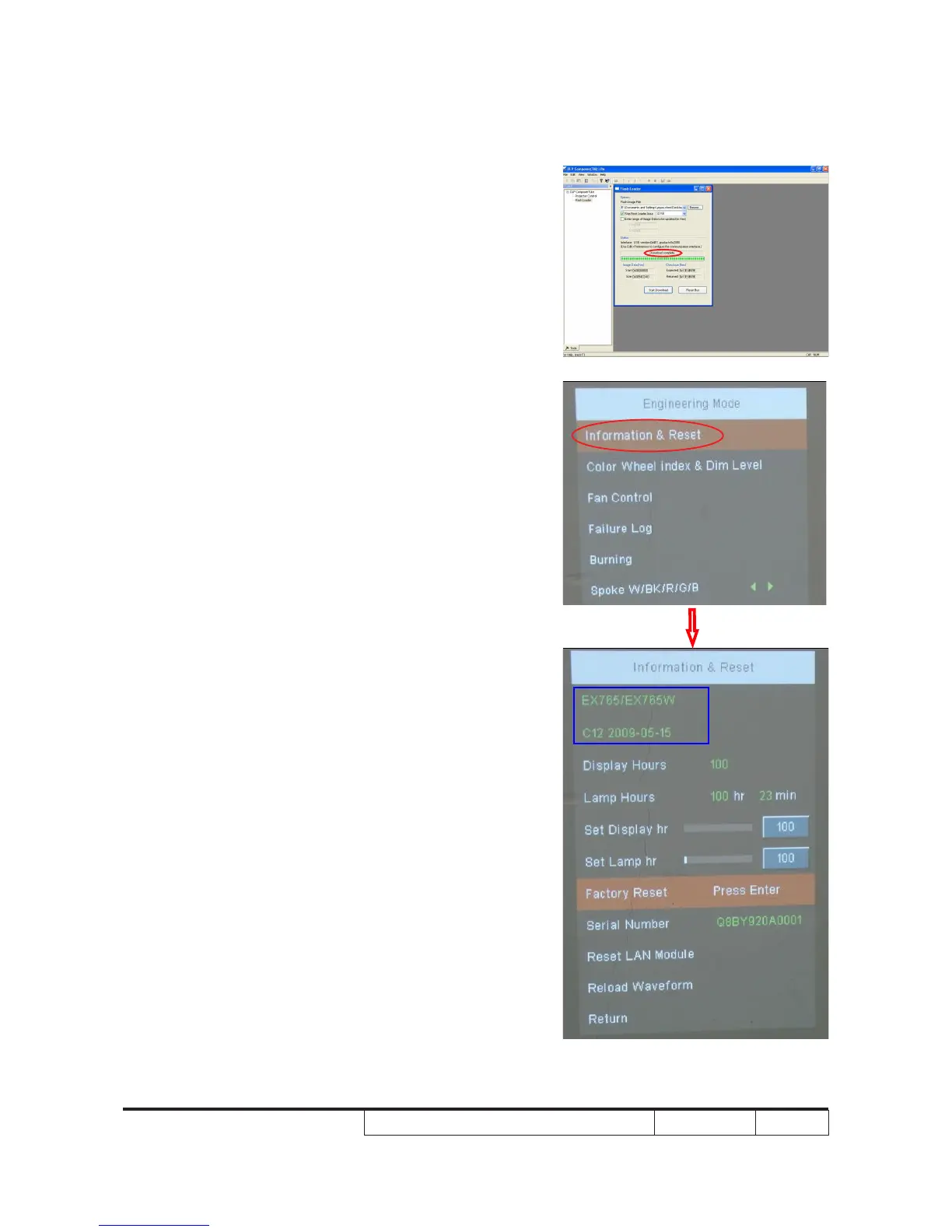
9. Firmware upgrade process will last
for several minutes. When "Download
completed" appears, unplug USB cable
and power cord.
10. Check FW version.
- Re-plug in power cable and restart the
unit. Get into the Service mode to
check the rmware version.
- The following steps will enable you to get
into service mode:
(1) Get into "Engineering Mode" (pls. refer
to 4-2).
(2) Select " Information & Reset", press
"Enter" button.
(3) Firmware version appears as blue
square.



 To Next Page