EX765/EW766/EX765W/EW766W Condential
5-14
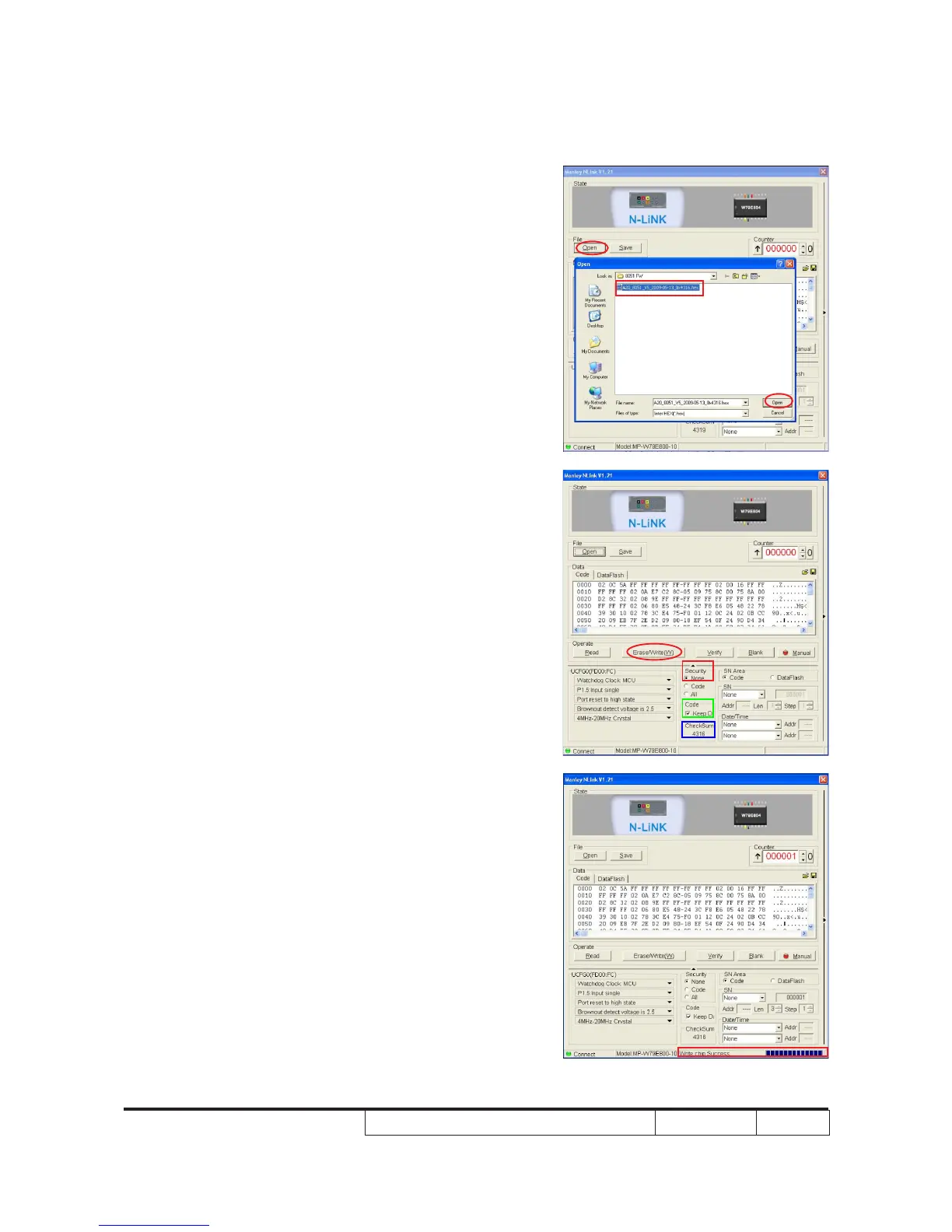
4. Choose 8051 le (*.hex)
- Click "Open".
- Select the 8051 le, click "Open".
5. Program settings
- In "Security" item, select "None".
- In "Code" item, select "Keep...".
- Check whether the "CheckSum" item is
"4316".
- Click "Erase/Write(W)" to execute 8051
FW upgrade.
6. Finish
- When 8051 FW upgrade process is
nished, "Write Chip success" will be
shown.



 To Next Page