Installation
Connecting the Projector
Install the Projection Lens
1
2
5
Before install or
replacing the lens,
switch off the power
to the projector
Avoid using the
remote control or
projector keypad
button to adjust the
lens shift or zoom/
focus while the lens
attachment process
is carried out.
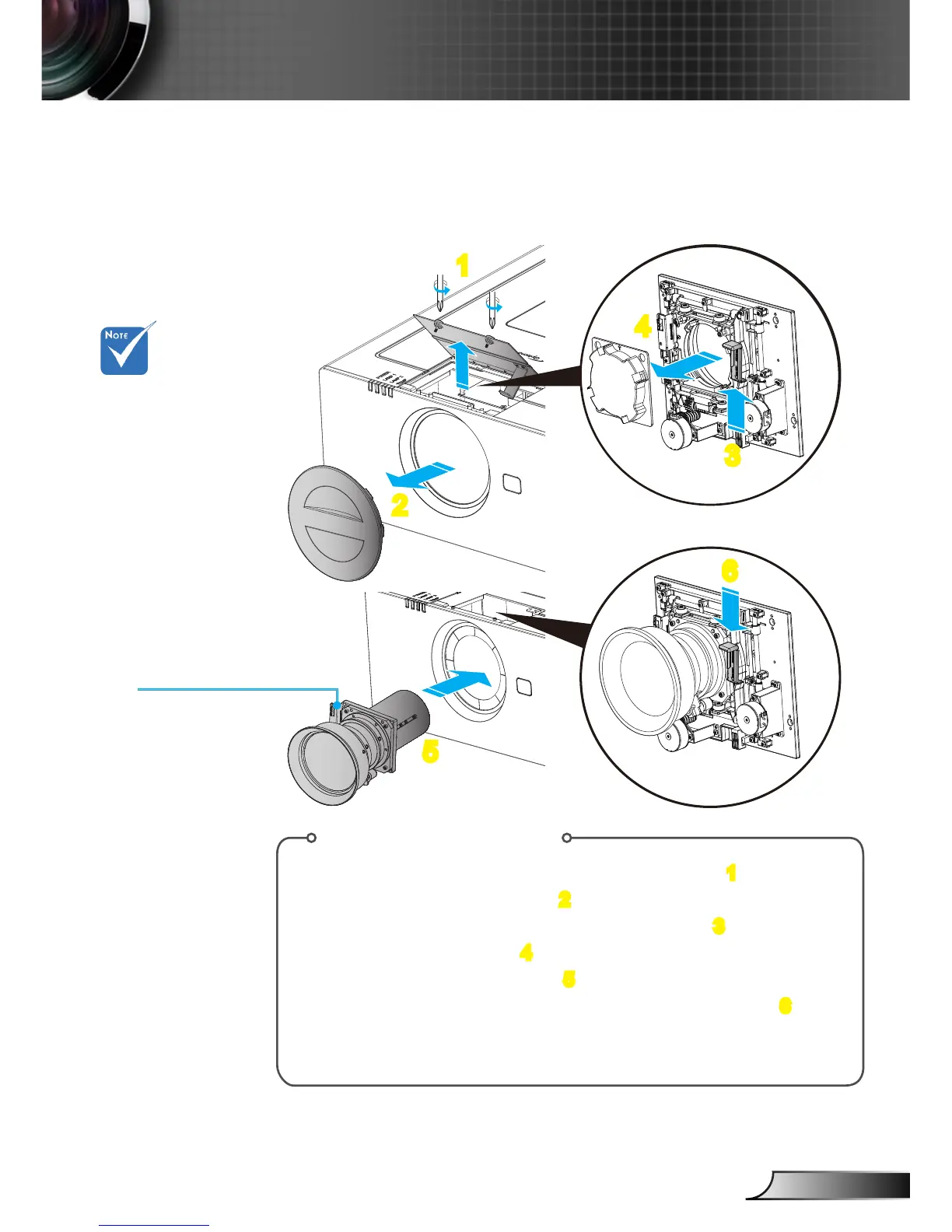
Install Lens Procedure:
1. Unscrew the 2 screws and lift up the lens door. 1
2. Remove the projector cap. 2
3. Push the release lever up to release the lock. 3
4. Remove the lens cap. 4
5. Push the lens into position. 5
6. Push the release lever down to lock the lens in place. 6
(Please note that need to align the PCB)
To replace the lens, reverse the previous steps.
3
4
6
PCB
(Printed Circuit Boards)



 To Next Page