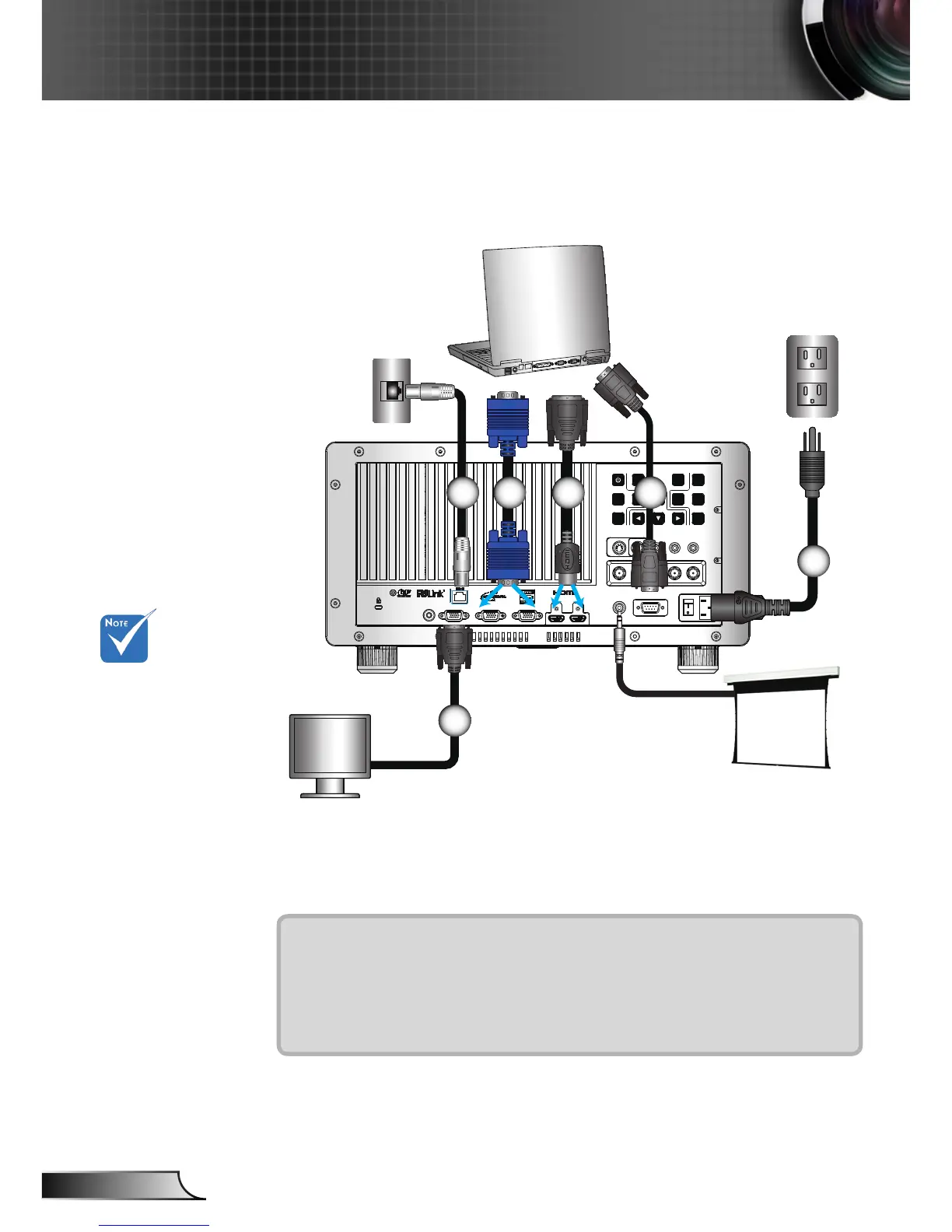
Connect to Computer/Notebook
1
5 4 3
1....................................................................................................Power Cord
2................................................................................................. RS232 Cable
3............................................................................................ DVI/HDMI Cable
4.....................................................................................................VGA Cable
5..............................................................................................*Network Cable
6........................................................................................*VGA Output Cable
Due to the
difference in
applications
for each
country, some
regions may
have different
accessories.
(*) Optional
accessory
2
+12V Output
6



 To Next Page