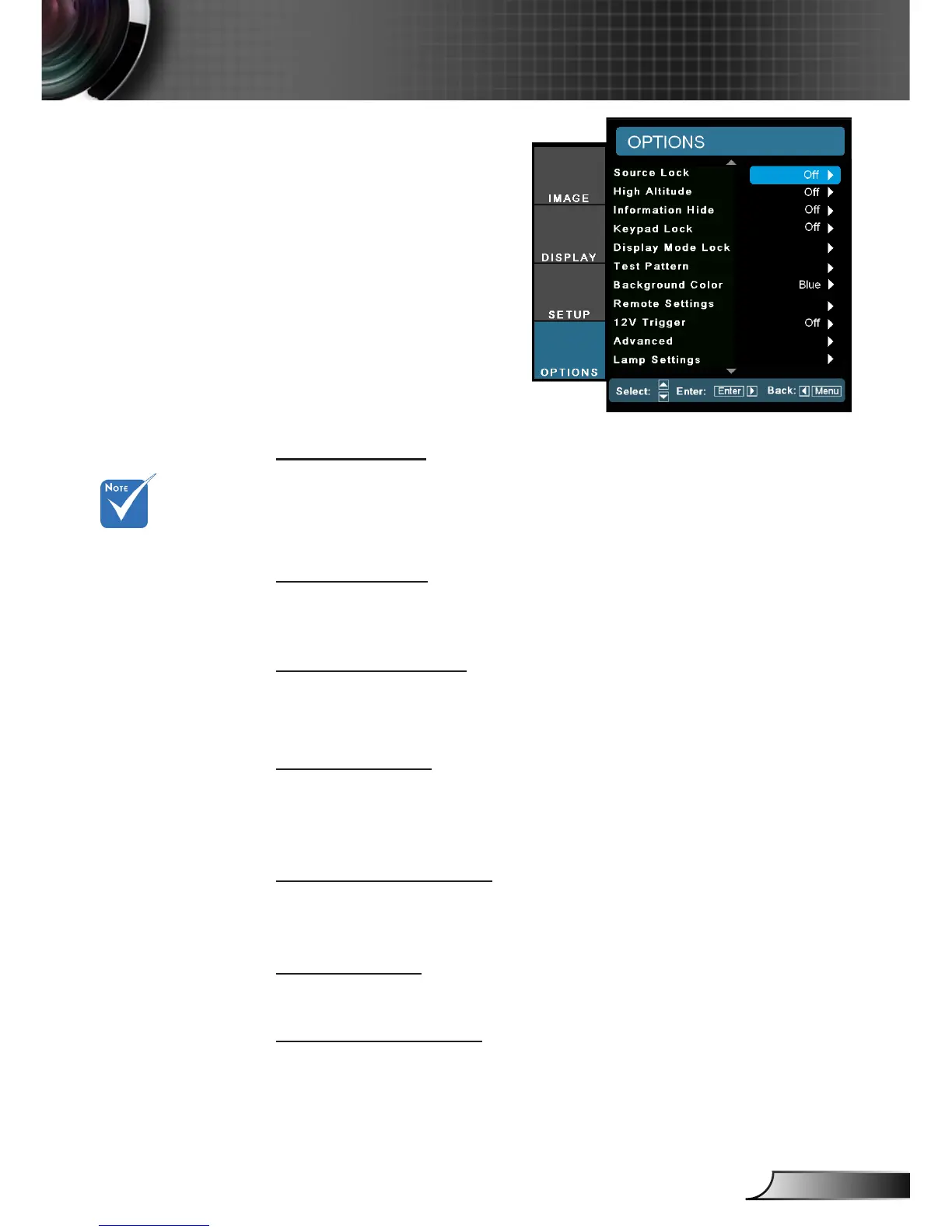
Source Lock
On: The projector will only search current input connection.
Off: The projector will search for other signals if the current input
signal is lost.
High Altitude
When “On” is selected, the fans will spin faster. This feature is use-
ful in high altitude areas where the air is thin.
Information Hide
On: Choose “On” to hide the info message.
Off: Choose “Off” to show the “searching” message.
Keypad Lock
When the keypad lock function is “On”, the control panel will be
locked however, the projector can be operated by the remote con-
trol. By selecting “Off”, you will be able to reuse the control panel.
Display Mode Lock
Choose “On” or “Off” to lock or unlock adjusting display mode set-
tings.
Test Pattern
Display a test pattern. There are Grid
(*)
, White pattern and None.
Background Color
Use this feature to display a “Black”, “Red”, “Blue”, “Green” or
“White”, screen when no signal is available.
OPTION
Press direct source
key on remote con-
troller, it will change
source directly and
automatically set
the Source Lock to
“ON”.
To turn off the key-
pad lock, press and
hold “Enter” key on
top of the projector
for 5 seconds.
(*) There are 3 Grid.
1
st
Grid in White, 2
nd
Grid in Green, 3
rd
Grid in Magenda.
When “Display
Mode Lock” is “On”,
the all setting under
display mode will be
gray out.



 To Next Page