The projector stops responding to all controls
If possible, turn off the projector, then unplug the power cord and
wait at least 60 seconds before reconnecting power.
Check that “Keypad Lock” is not activated by trying to control the
projector with the remote control.
Lamp burns out or makes a popping sound
When the lamp reaches its end of life, it will burn out and may
make a loud popping sound. If this happens, the projector will not
turn on until the lamp module has been replaced. To replace the
lamp, follow the procedures in the “Replacing the Lamp” section on
pages 60-61.
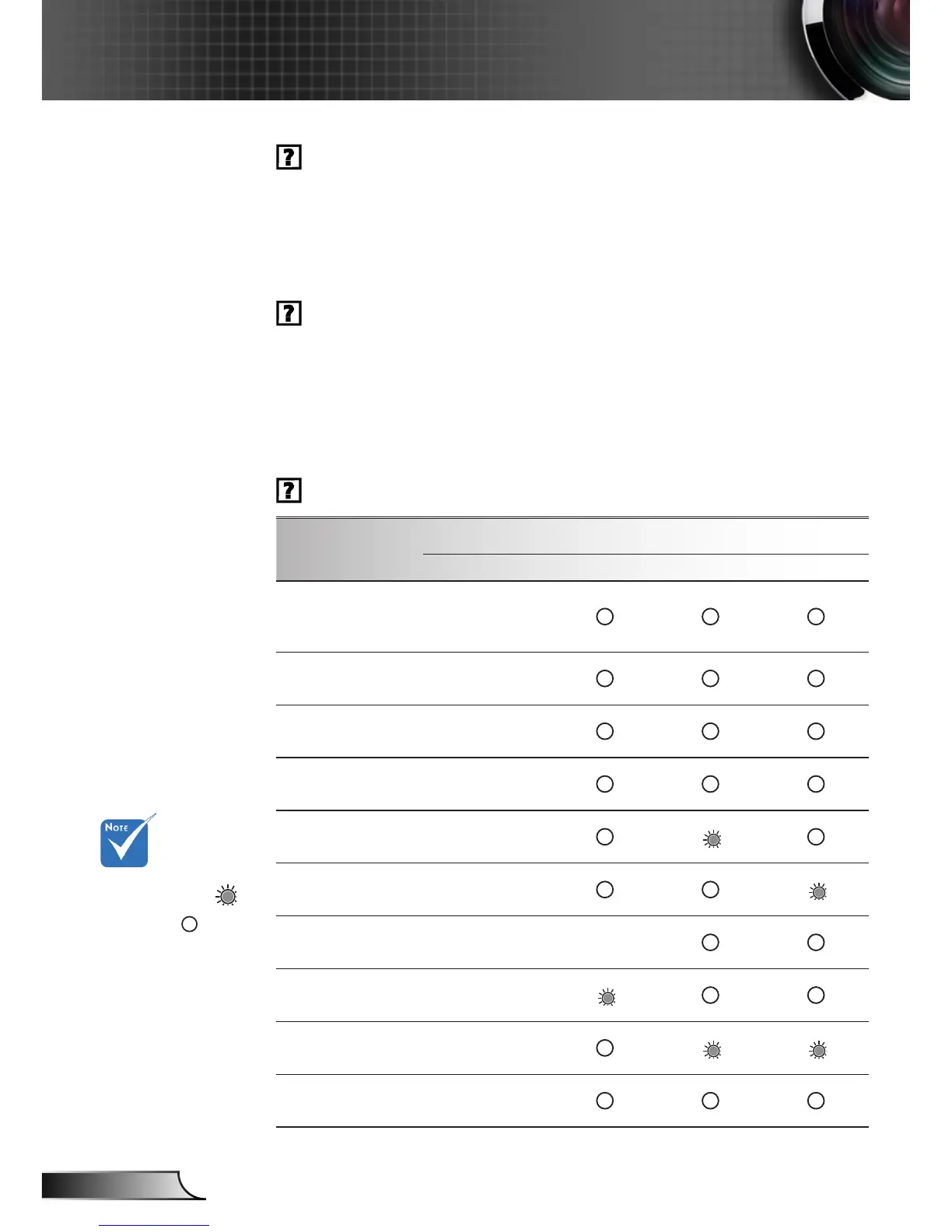
LED lighting message
Steady light
No light
Message
POWER LED Temp LED Lamp LED 1 Lamp LED 2
(Red/Blue) (Red) (Amber) (Amber)
Standby State
(Input power cord &
Switch on)
Flashing Red
Power on (Warm-
ing)
Flashing
Blue
Lamp lighting Blue
Power off (Cooling)
Flashing
Blue
Error (Lamp 1 fail)
Flashing
Red
Error (Lamp 2 fail)
Flashing
Red
Error (Fan fail)
Flashing
Red
Flashing
Error (Over Temp.)
Flashing
Red
Error (Lens shift)
Flashing
Red
Shutter on
Red/Blue Steady
light



 To Next Page