Electrical Installation 71-
4.7.2 Digital Interfaces
The Ethernet interface requires a minimum 12 V supply voltage. Pay attention to the notes on
the according interface manuals.
CTlaser sensors can be optionally equipped with an USB-, RS232-, RS485-, Profibus DP-*, Modbus RTU-*
or Ethernet-interface.
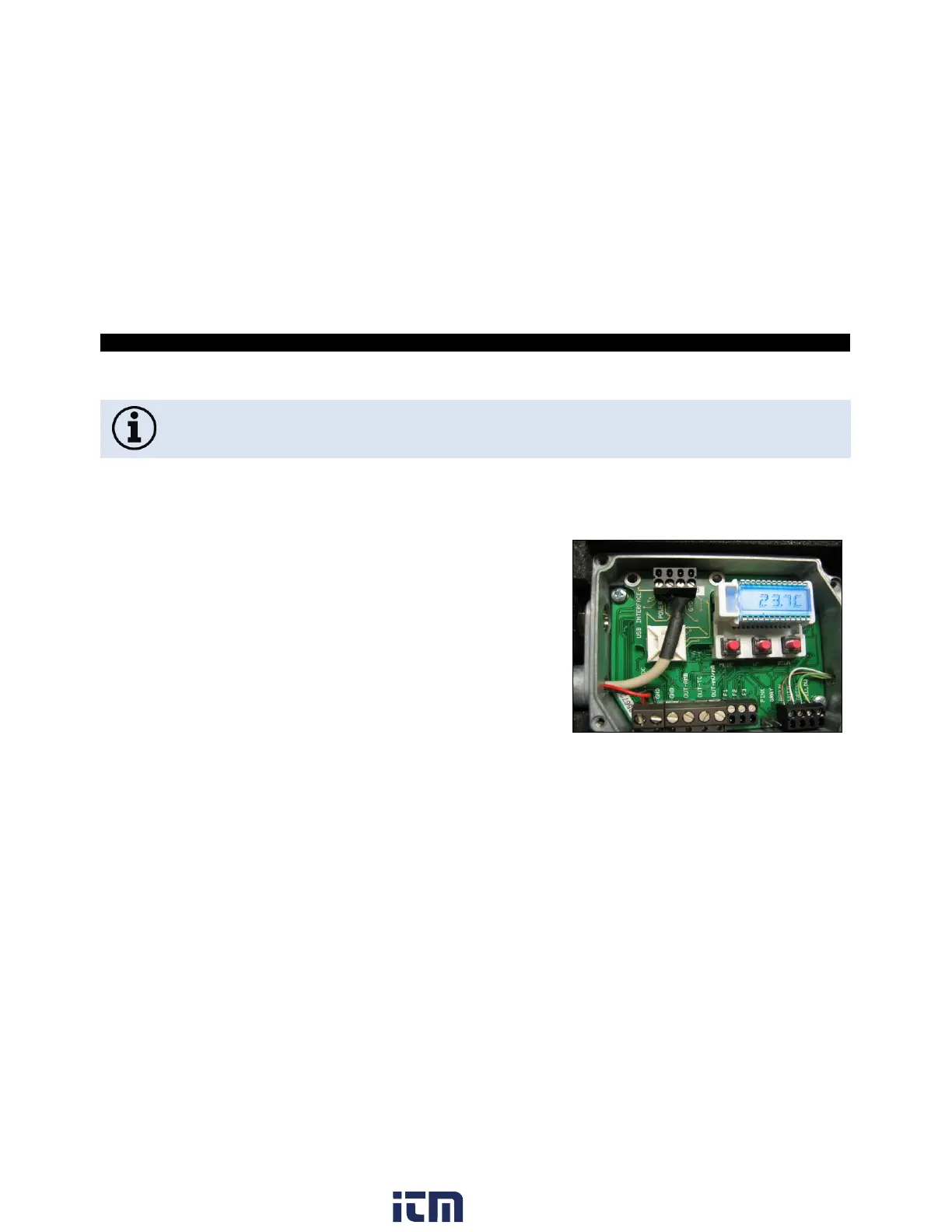
1. To install an interface, plug the interface board into the
place provided, which is located beside the display. In the
correct position the holes of the interface match with the
thread holes of the electronic box.
2. Press the board down to connect it and use both M3x5
screws for fixing. Plug the preassembled interface cable
with the terminal block into the male connector of the
interface board.
Figure 22: Digital interfaces
* Not for CTlaser 4M available
w ww. . com
information@itm.com1.800.561.8187


 To Next Page