Operation 79-
5 Operation
After power up the unit the sensor starts an initializing routine for some seconds. During this time the display
will show INIT. After this procedure the object temperature is shown in the display. The display backlight
color changes accordingly to the alarm settings [►4.7.6 Alarms].
5.1 Sensor setup
• Pressing the Mode button again recalls the last called function on the display. The signal
processing features Peak hold and Valley hold cannot be selected simultaneously.
• To set the CTlaser back to the factory default settings, press at first the Down-key and then
the Mode-key and keep both pressed for approx. 3 seconds. RESET appears as
confirmation in the display.
The programming keys Mode, Up and Down enable the user to set the
sensor on-site. The current measuring value or the chosen feature is
displayed. With Mode the operator obtains the chosen feature, with Up
and Down the functional parameters can be selected – a change of
parameters will have immediate effect. If no key is pressed for more
than 10 seconds the display automatically shows the calculated object
temperature (according to the signal processing).
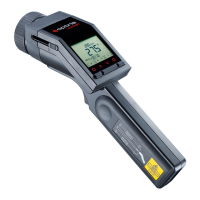
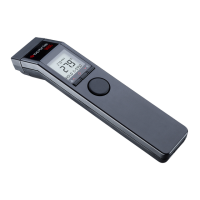
Figure 23: Display of the device
w ww. . com
information@itm.com1.800.561.8187


 To Next Page