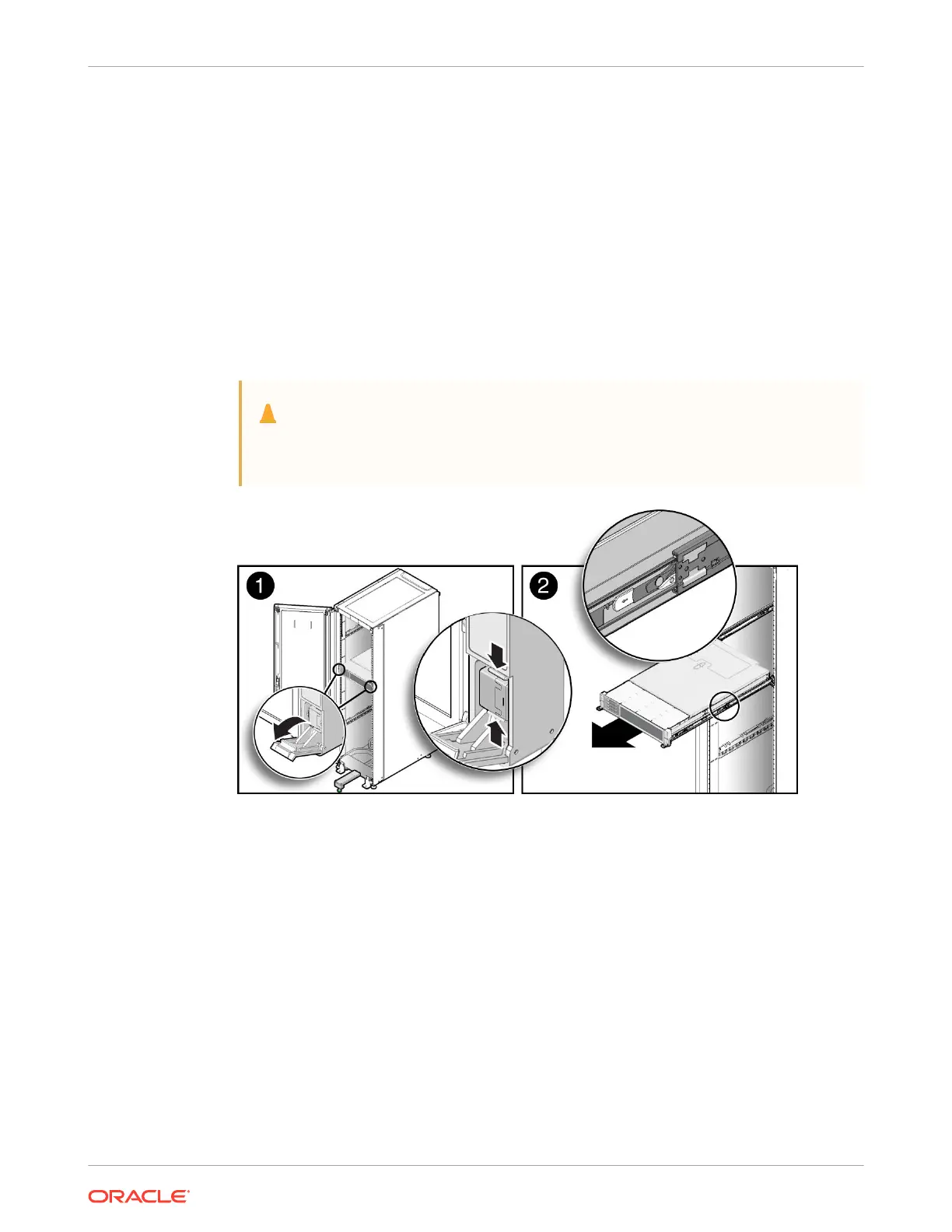
1. To prevent the rack from tipping forward when the server is extended, extend all rack anti-
tilt mechanisms.
Refer to the "Oracle Rack Cabinet 1242 User's Guide" at Oracle Rack Cabinet 1242
Documentation Library.
2. Verify that no cables will be damaged or will interfere when the server is extended.
Although the cable management arm (CMA) that is supplied with the server is hinged to
accommodate extending the server, ensure that all cables and cords are capable of
extending.
3. From the front of the server, open and hold the left and right release latch covers in the
open position.
When in an open position, the release latch covers engage the slide rail release latches
[1].
Caution:
Deploy any rack anti-tilt mechanism before releasing the slide rail release
latches.
4. While the release latch covers are in the open position, slowly pull the server forward until
the slide rails latch into a locked position [2].
The server is now in the extended maintenance position.
Take Antistatic Measures
1. Prepare an antistatic surface on which to set parts during removal and installation.
Place electrostatic discharge ESD-sensitive components such as the printed circuit boards
on an antistatic mat. You can use the following items as an antistatic mat:
• Antistatic bag used to wrap a replacement part
• Oracle ESD mat (orderable item)
• Disposable ESD mat (shipped with some replacement parts or optional system
components)
2. Attach an antistatic wrist strap.
Chapter 4
Preparing the Server for Component Replacement
4-7















 To Next Page