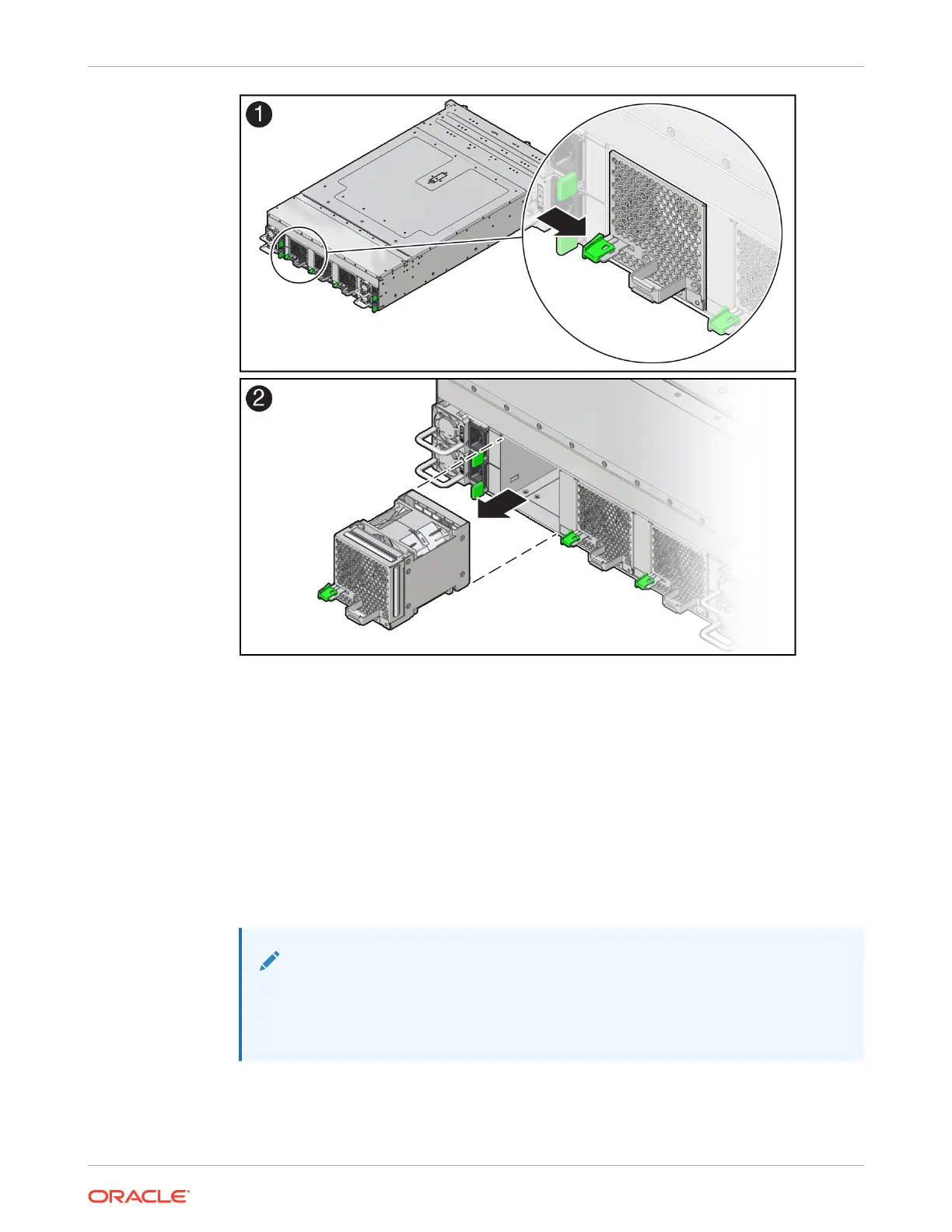
6. Set the fan module on an antistatic mat.
Install a Fan Module
1. Remove the replacement fan module from its packaging, and place it on an antistatic mat.
2. Grasp the replacement fan module by the handle and align it with the empty chassis fan
module slot.
The fan modules are keyed to ensure that they are installed in the correct orientation.
3. Slide the fan module into the chassis and apply firm pressure to fully seat the fan module.
You will hear an audible click when the fan module latches.
Note:
If the lever doesn't fully latch closed, pull the lever slightly toward you while
pushing the lever up and to the left in order for it to completely latch. This will
help keep the lever from binding in its slot in the module sheet metal.
Chapter 5
Replacing a Fan Module
5-8















 To Next Page