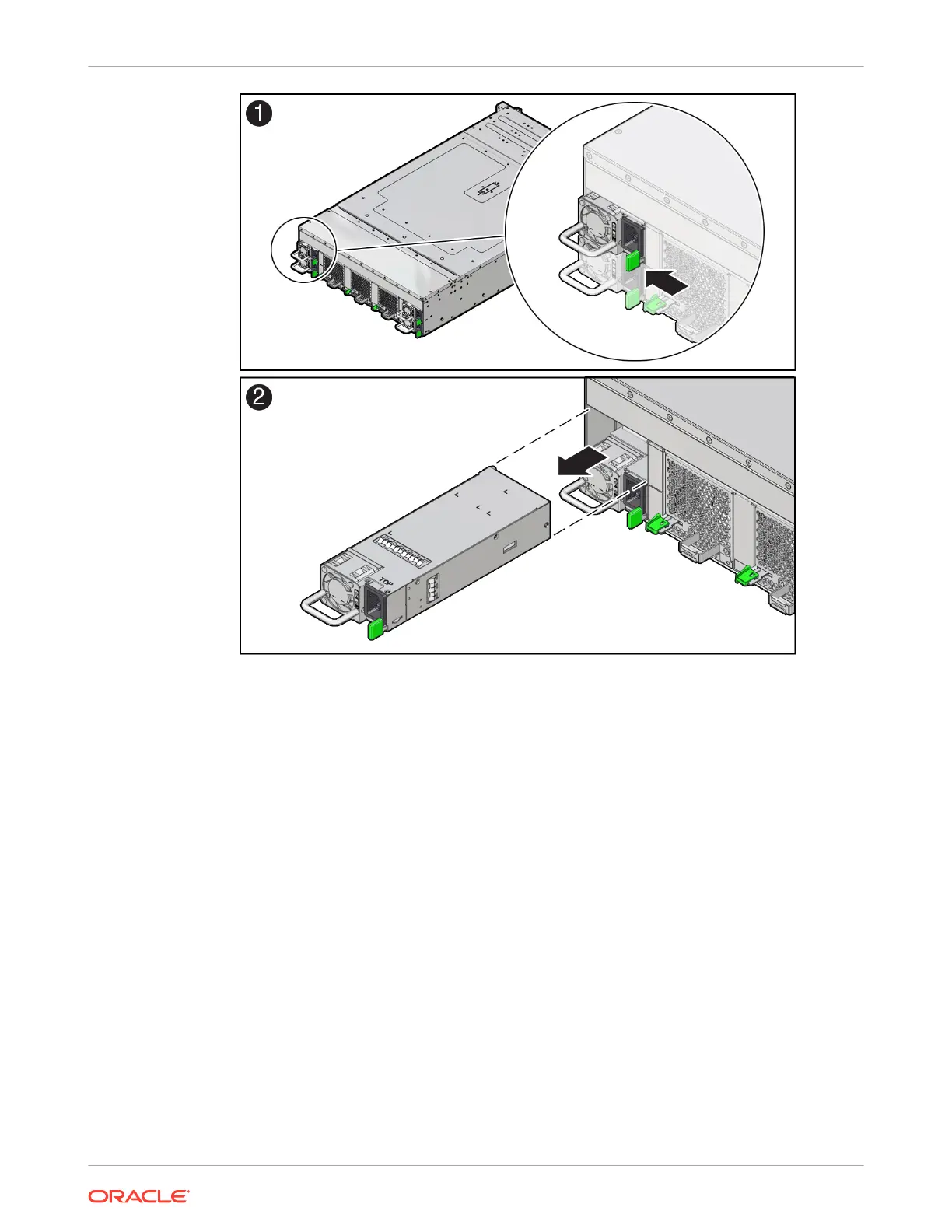
6. Set the power supply on an antistatic mat.
Install a Power Supply
Always replace the failed power supply with the same model of power supply. For this product,
both the A271 and A271A power supplies are supported and are interchangeable in the
system.
1. Remove the replacement power supply from its packaging, and place it on an antistatic
mat.
2. Align the replacement power supply with the empty power supply slot.
3. Slide the power supply into the slot until it is fully seated.
You hear an audible click when the power supply fully seats.
Chapter 5
Replacing Power Supplies
5-11















 To Next Page