Note:
If you need to install additional Velcro straps, wrap the straps around the cables
only, not around any of the CMA components. Otherwise, expansion and
contraction of the CMA slide bars might be hindered when the server is extended
from the rack and returned to the rack.
Returning the Server to Operation
This section describes safety considerations and provides procedures and information after
replacing components in the server.
After replacing components inside of the server, perform the procedures in the following
sections. For more information, see the component replacement procedures in this guide.
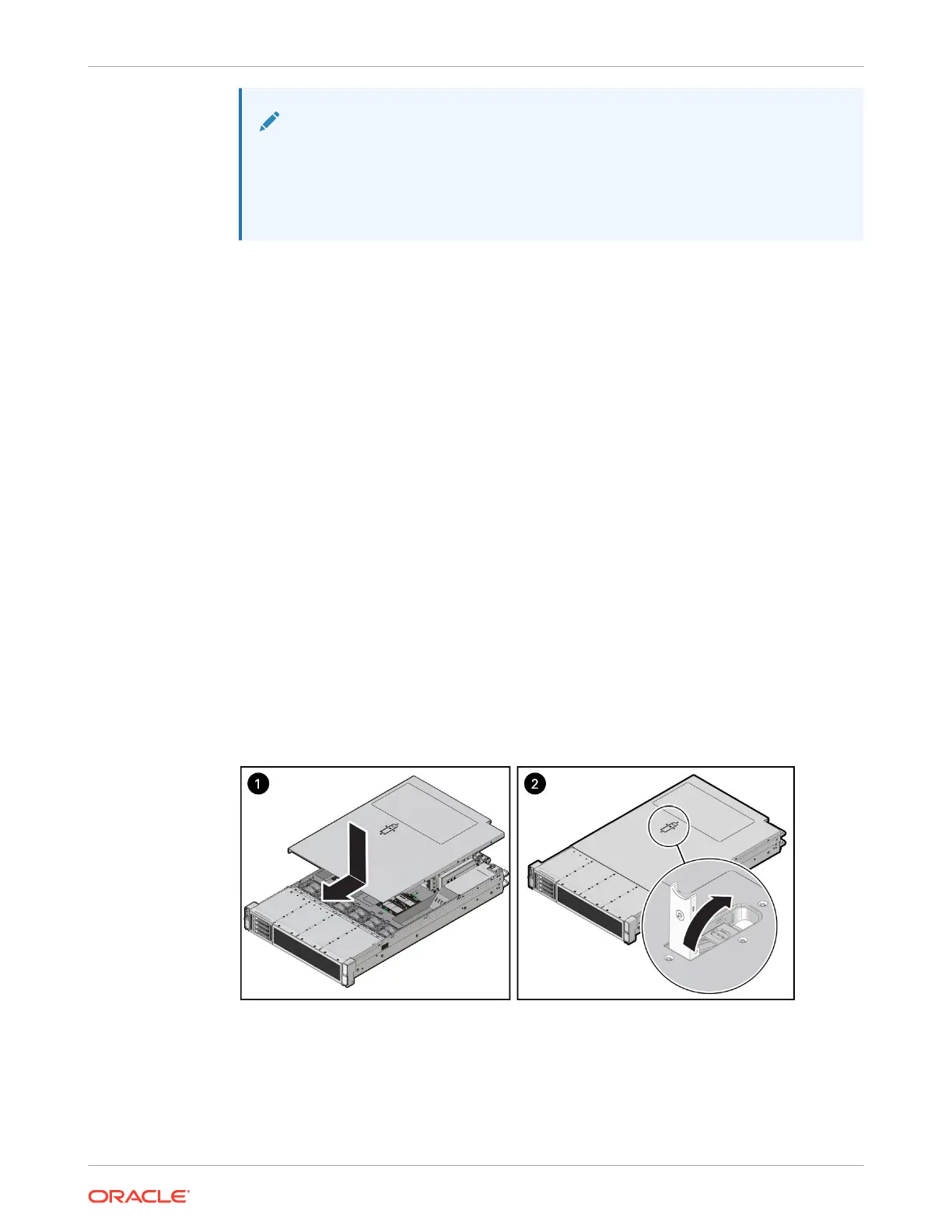
Install the Server Top Cover
1. Place the top cover on the chassis [1].
Set the cover down so that it hangs over the back of the server by about 1 inch (25 mm)
and the side latches align with the cutouts in the chassis.
2. Check both sides of the chassis to ensure that the top cover is fully down and flush with
the chassis.
If the cover is not fully down and flush with the chassis, slide the cover towards the back of
the chassis to position the cover in the correct position.
3. Gently slide the cover toward the front of the chassis until it latches into place with an
audible click [2].
As you slide the cover toward the front of the server, the release button on the top of the
server automatically rotates downward to the closed position. Latch the top cover by
pushing down on the button until it is flush with the cover and you hear an audible click. An
audible click indicates that the cover is latched.
4. Use a Torx T15 screwdriver to turn the release button latch counterclockwise to the locked
position.
5. If you are done replacing server components, remove any antistatic straps or conductors
from the server chassis.
Chapter 4
Returning the Server to Operation
4-28















 To Next Page