You hear a click when the server is in the normal rack position.
10. Connect cables to the server, as required.
See Reconnect Power and Data Cables.
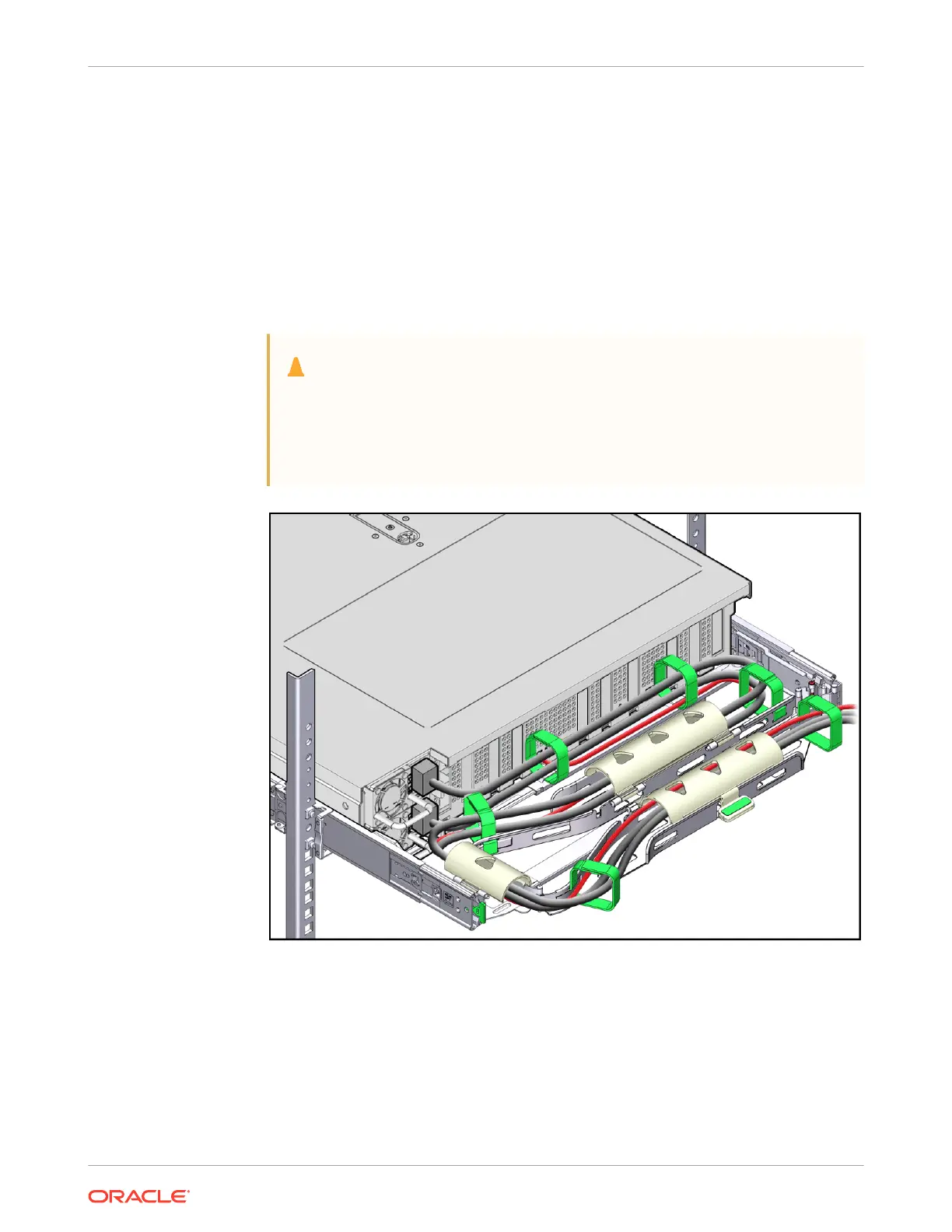
11. Open the CMA cable covers, route the server cables through the CMA cable troughs (in
the order specified in the following steps), close the cable covers, and secure the cables
with the six Velcro straps.
a. First through the front-most cable trough.
b. Then through the small cable trough.
c. Then through the back-most cable trough.
Caution:
When securing the cables with the Velcro straps located on the front slide
bar, ensure that the Velcro straps do not wrap around the bottom of the slide
bar. Otherwise, expansion and contraction of the slide bar might be hindered
when the server is extended from the rack and returned to the rack.
12. Ensure that the secured cables do not extend above the top or below the bottom of the
server to which they are attached.
Otherwise, the cables might snag on other equipment installed in the rack when the server
is extended from the rack or returned to the rack.
13. If necessary, bundle the cables with additional Velcro straps to ensure that they stay clear
of other equipment.
Chapter 4
Replacing the Cable Management Arm
4-27















 To Next Page