1. Extend the server to the maintenance position.
See Extend the Server to the Maintenance Position.
2. To access the fan modules, remove the server top cover.
See Remove the Server Top Cover.
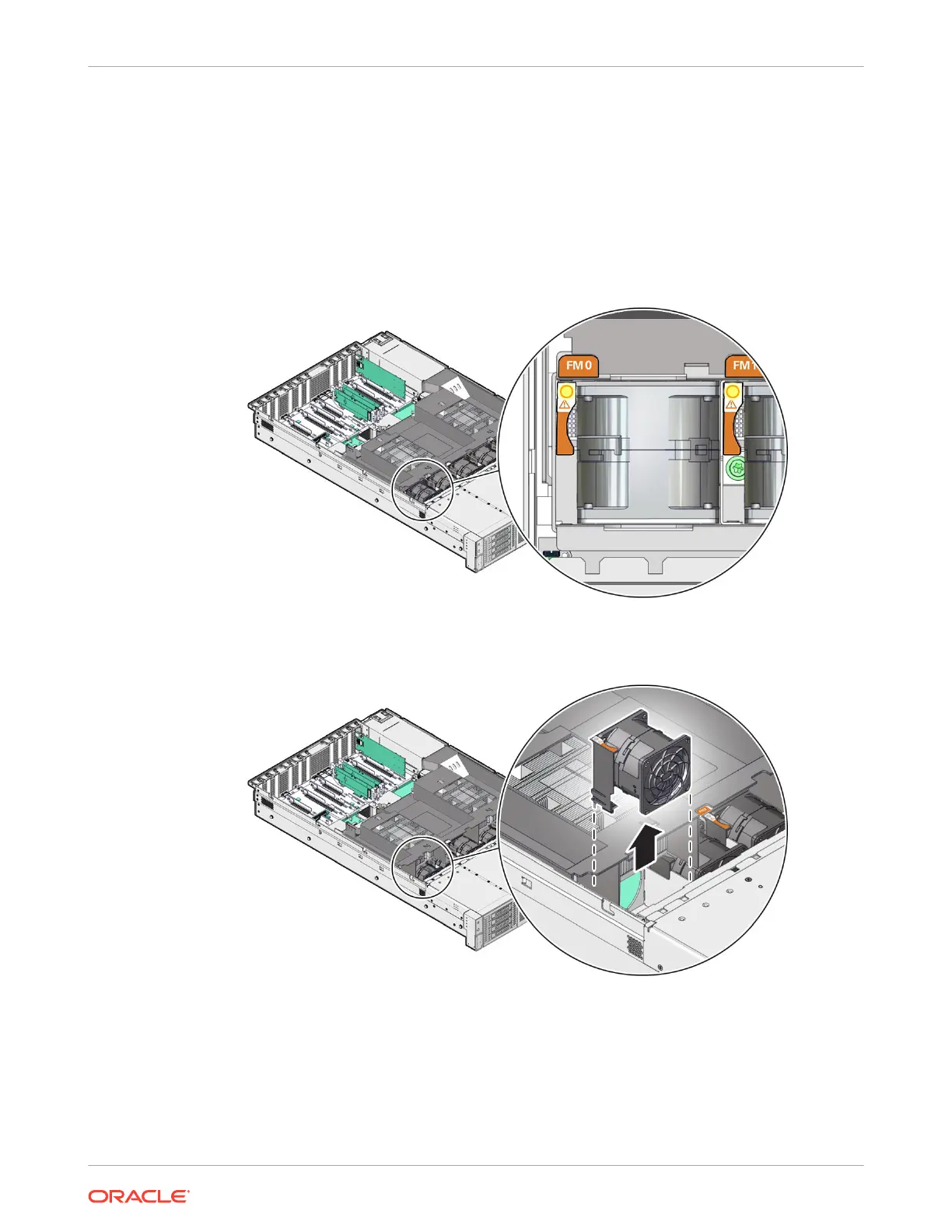
3. Identify the faulty fan module.
Each fan module has a fan service action required status indicator (LED) that is located
next to the module. If the LED is amber, the fan has failed. The location of the fan status
LED is shown in the following figure.
4. Using your forefinger and thumb, lift the fan module straight up and out of the chassis and
set it aside on an antistatic mat.
Install a Fan Module
1. Remove the replacement fan module from its packaging, and place it on an antistatic mat.
2. With the server top cover removed, install the replacement fan module into the server.
The fan modules are keyed to ensure that they are installed in the correct orientation.
Chapter 4
Replacing a Fan Module
4-10















 To Next Page