5
Replacing X10-2c GPU L40S Compute Server
Components
Model X10-2c GPU L40S Compute Server nodes may be installed in a GPU expansion rack
connected to your Oracle Private Cloud Appliance base rack. Certain server components can
be replaced by a data center administrator or technician in case of hardware failure. Please
follow the step-by-step instructions provided in this guide.
WARNING:
If a replacement procedure is not listed in this guide, you must contact Oracle to have
the malfunctioning component serviced.
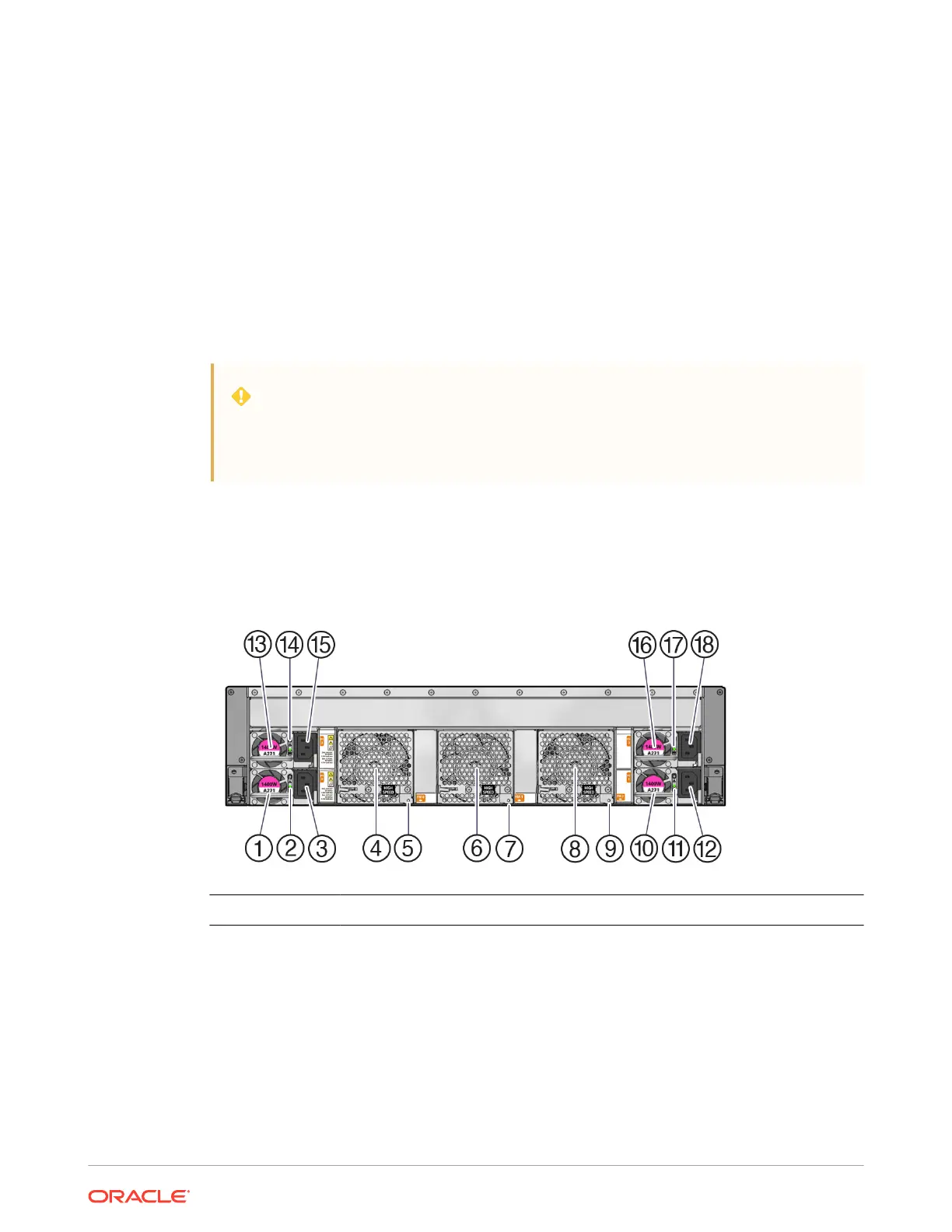
Illustrated Back Panel Components Breakdown
In Oracle Private Cloud Appliance, only components accessible from the rear of the 3U server
chassis may be replaced. The following figure identifies the back panel components of the
X10-2c GPU L40S Compute Server.
Callout Description
1 Power supply (PS 0)
2 PS 0 status LEDs:
• AC OK LED: green
• Fault-Service Required LED: amber
3 AC power input connector (PS 0)
4 High speed fan module 0 (FM 0)
5-1















 To Next Page