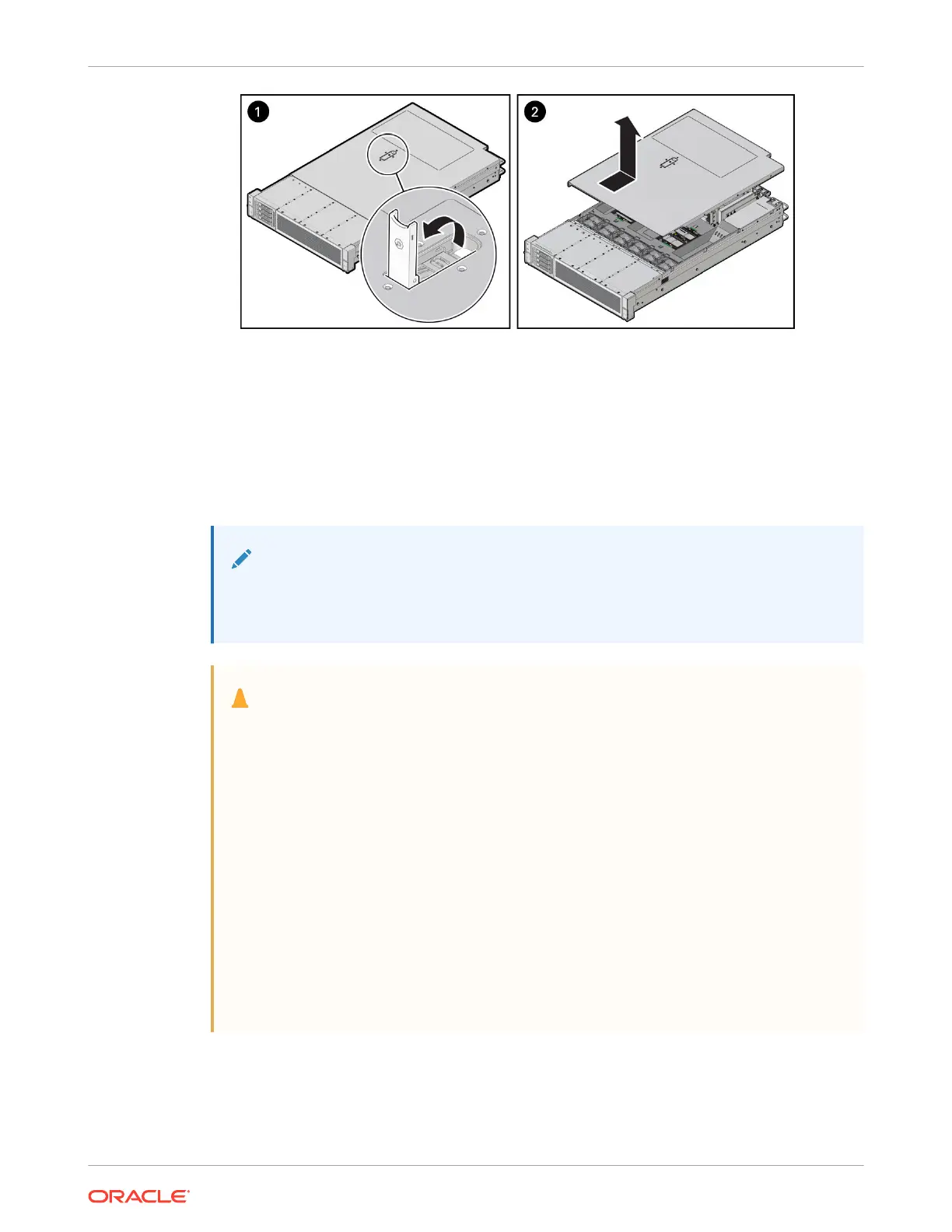
4. Lift up and remove the top cover [2].
Replacing a Fan Module
Fan modules are replaceable components that do not require you to power off the server
before servicing.
Fan modules are located in the front of the server.
Note:
If the system detects a fan module fault, the front and back panel Fault-Service
Required LEDs are lit, as is the front Top Fan LED.
Caution:
When removing and replacing a fan module in the Oracle Server X10, you must
complete the entire procedure within 60 seconds to maintain adequate cooling in the
system. Remove and replace only one fan module at a time. Ensure that you have
obtained the replacement fan module and that it is ready for installation before
starting the replacement procedure.
Each fan module contains one fan, with two fan motors per fan. The two fan motors
provide separate tachometer signals so that the fan module reports two tach signals
to Oracle ILOM. Even if only one fan motor is faulted within the fan module, the
Oracle ILOM service processor detects that two fan motors have failed to spin while
the fan module is removed. If the fan module is not replaced within 60 seconds of
removal, Oracle ILOM will take the protective action to shut down the system to
prevent thermal damage to the system.
If the cover is not installed within 60 seconds, the system may shutdown due to over-
temperature or a PCIe card may overheat, potentially damaging it.
Remove a Fan Module
You do not have to power off the server to replace fan modules.
Chapter 4
Replacing a Fan Module
4-9















 To Next Page