Remove the Battery
1. Power off the server.
See Powering Down the Server.
2. Disconnect the power cords from the power supplies.
See Disconnect Cables From the Server.
3. Extend the server into the maintenance position.
See Extend the Server to the Maintenance Position.
4. Attach an antistatic wrist strap to your wrist, and then to a metal area on the chassis.
See Take Antistatic Measures.
5. Remove the server top cover.
See Remove the Server Top Cover.
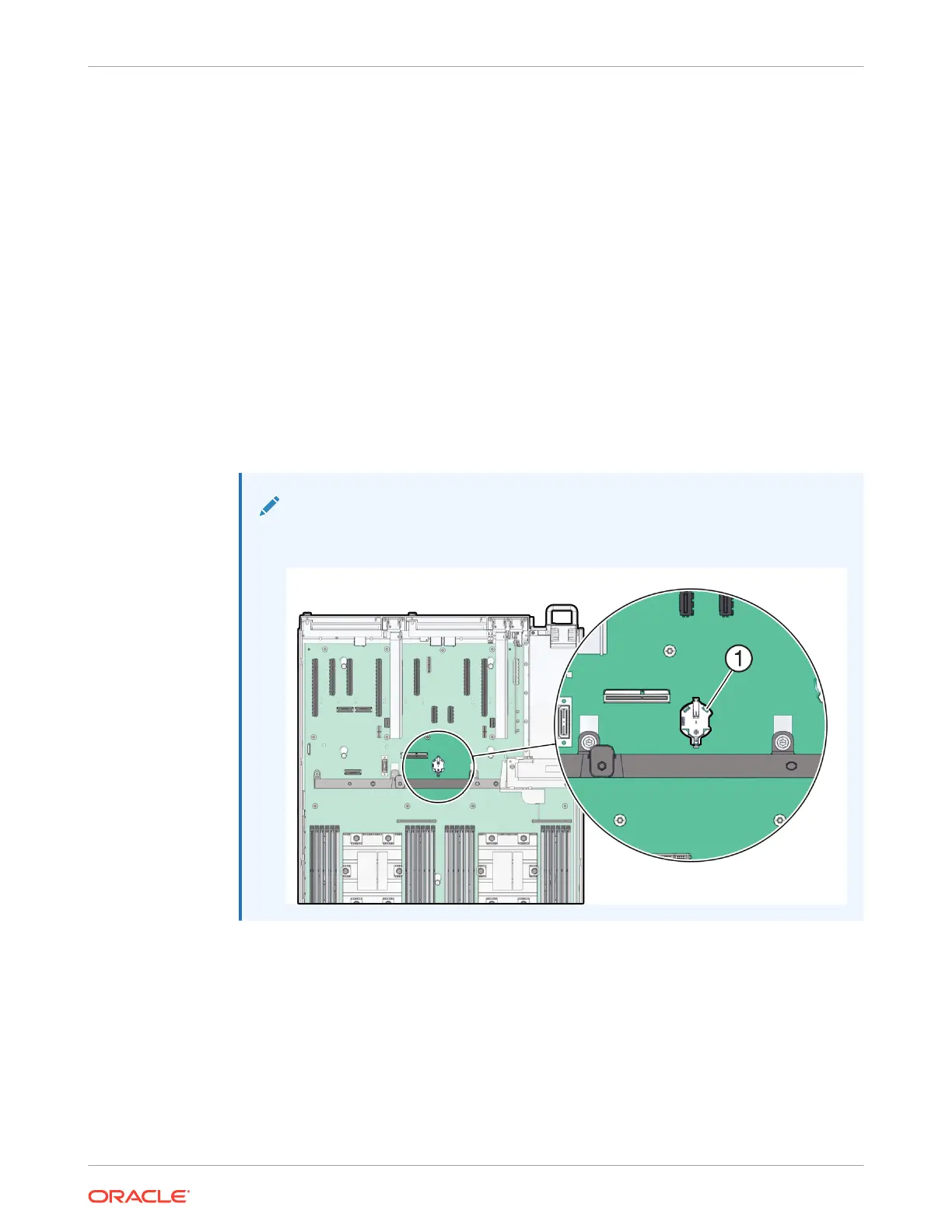
6. Locate the battery and RTC battery retainer on the server motherboard.
Note:
Coin battery retainer types that are mounted in the RTC battery motherboard
location may be different.
7. Remove the battery from the battery holder.
Review the following battery holder (Part number: 8210501) options.
Chapter 4
Replacing the Battery
4-12















 To Next Page