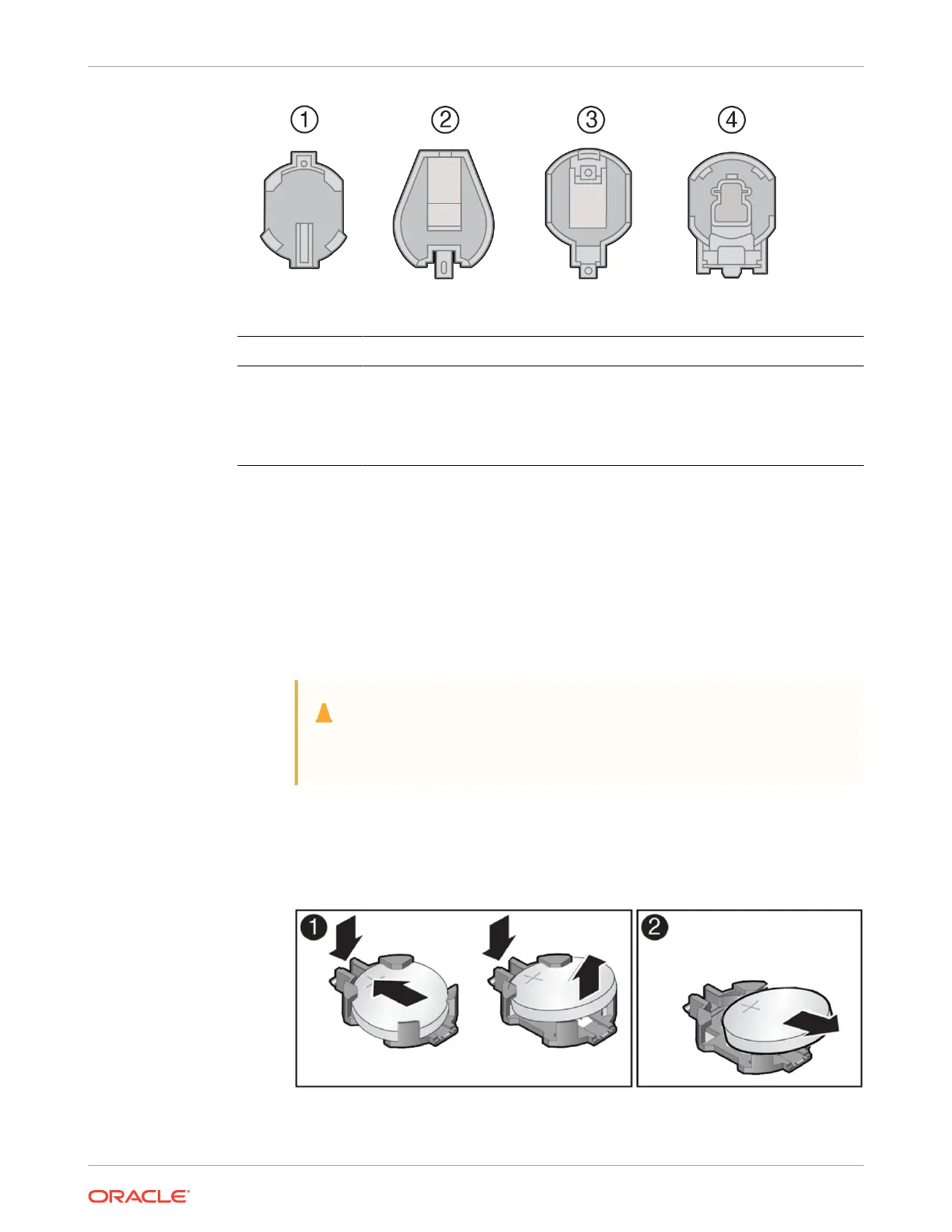
Callout Description
1 796136-1 Top-Load Battery Connector (TE)
2 1093TR Top-Load Battery Connector
3 1070TR Top-Load Battery Connector
4 S8421 Top-Load Battery Connector
Select the detailed instructions below for the specific type of RTC battery retainer on the
server motherboard.
• [Type 1] Remove the battery from the TE Top-Load Battery Connector as follows.
Each connector consists of a housing with a positive contact and a negative contact.
The floor of the housing is embossed with a `+' to designate the positive contact. The
connector features four lips for positive retention of the battery.
a. Grasp connector. Support the connector by grasping the "positive" end of the
connector.
Caution:
The connector must be supported, otherwise damage to the soldered
contacts could occur.
b. Slide battery under lips at positive end of connector. While supporting the
connector, simultaneously push the battery toward the positive end of the
connector, and slightly move the lips at the negative end of the connector away
from the battery. Hold in this position, and lift the battery.
c. Pull the battery from the connector.
• [Type 2] Remove the battery from the 1093TR battery connector as follows.
Chapter 4
Replacing the Battery
4-13















 To Next Page