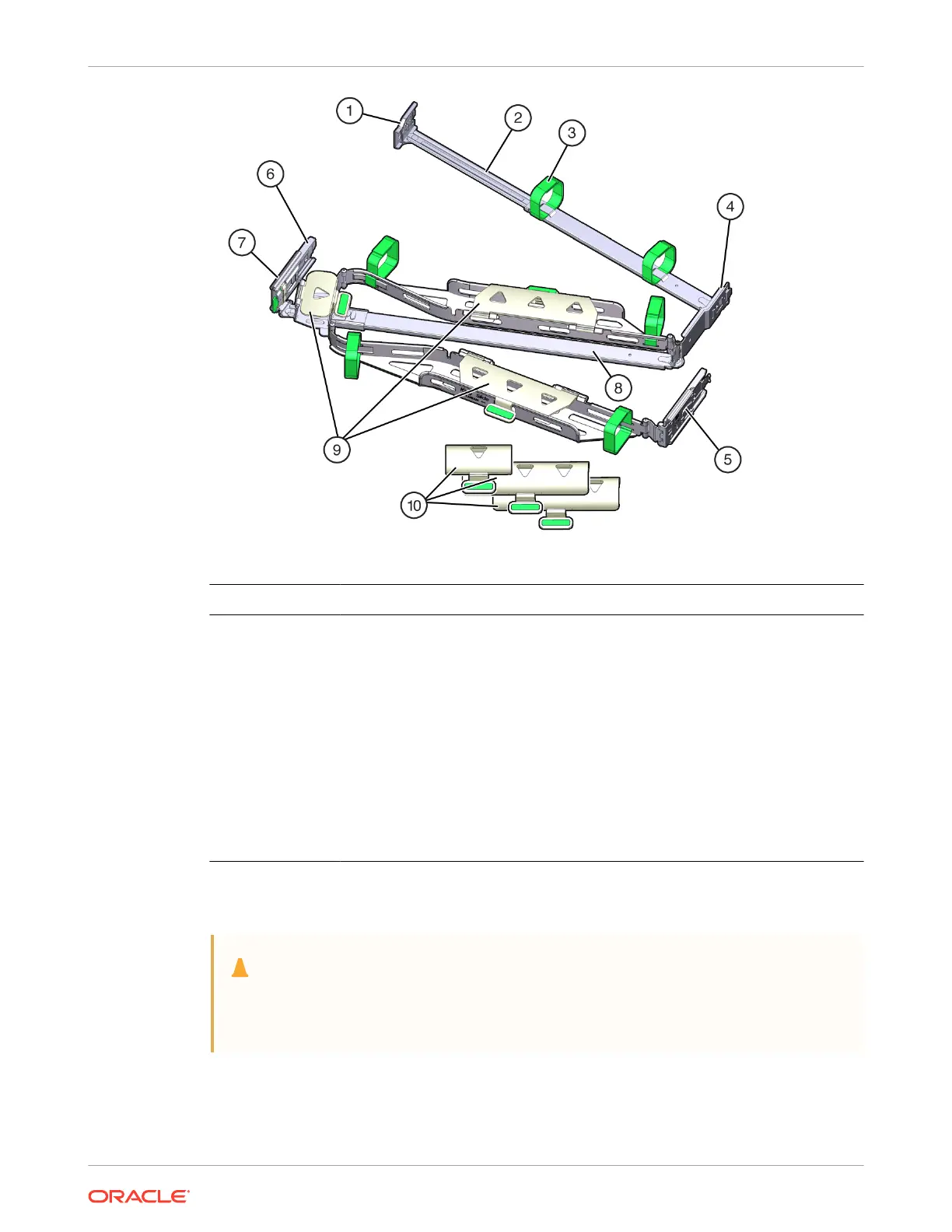
Call Out Description
1 Connector A
2 Front slide bar
3 Velcro straps (6)
4 Connector B
5 Connector C
6 Connector D
7 Slide-rail latching bracket (used with connector D)
8 Back slide bar
9 Server at cable covers
10 Server round cable covers (optional)
Remove the Cable Management Arm
Caution:
Throughout this procedure, after you disconnect any of the CMA four connectors, do
not allow the CMA to hang under its own weight.
1. To make it easier to remove the CMA, extend the server approximately 13 cm (5 inches)
out of the front of the rack.
2. To remove the cables from the CMA:
Chapter 4
Replacing the Cable Management Arm
4-18















 To Next Page