Configuring the Restart Mode System Operation
8-28 Ocean TRx™ 4500 Installation and Operations Manual
8.6.1.3 BUC Attenuation Control Capability
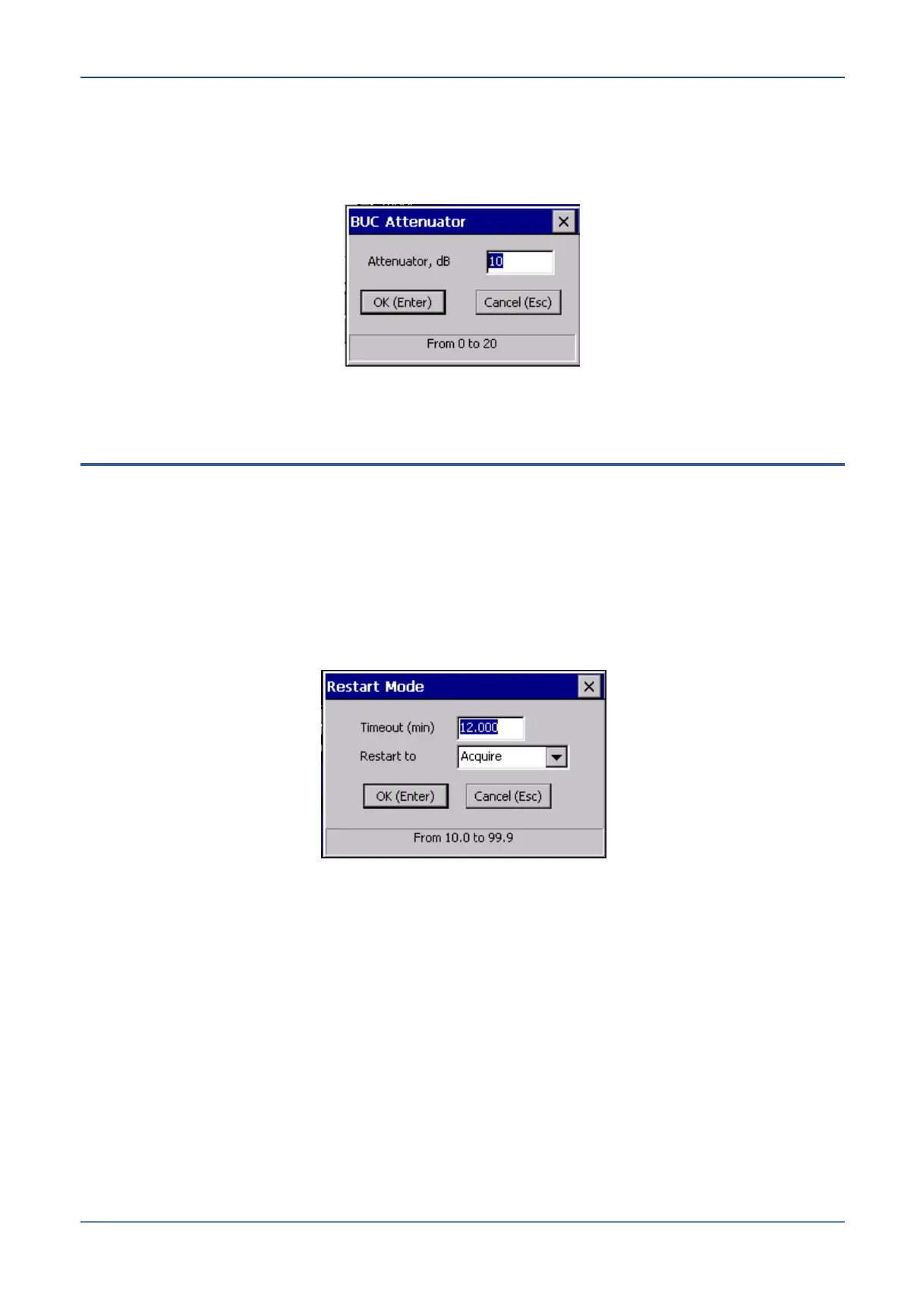
Atten – This button opens the BUC Attenuator dialog box, which is used to define the
attenuator control capability of the Orbit-certified BUC units.
Figure 8-25: BUC Attenuator Dialog Box
8.7 Configuring the Restart Mode
By default, the system automatically enters Acquire mode after it restarts. You can
change the default setting to a different operating mode, for purposes of installation,
integration or maintenance.
To set the default restart mode:
1. From the Operation Screen, open the Config menu and select Operating Modes.
2. Select Restart from the Operating Modes sub-menu. The Restart Mode dialog box
appears.
Figure 8-26: Restart Mode Dialog Box
3. Open the Restart to drop-down list and select one of the following values:
Stand-by – Halts the axes in their current position.
Acquire – Initializes the IMU and axis encoders, activates Acquire Mode (see
Section 8.1.2).
Slave – Puts the system on call for commands from an external ‘Master’ controller.
Enc Init – Initializes the axis encoders.
Test Traj – Initializes the axis encoders and moves all axes on their test
trajectories (see Section 8.1.12).
AcqSatPreset – Activates Acquire Satellite Preset Mode (see Section 8.1.3).
AcqPrTrack – Activates Acquire Program Track Mode (see Section 8.1.14).


 To Next Page