Monitoring and Analysis Tools Spectrum Analyzer Tool
OceanTRx
TM
4-500 Installation and Operations Manual 9-7
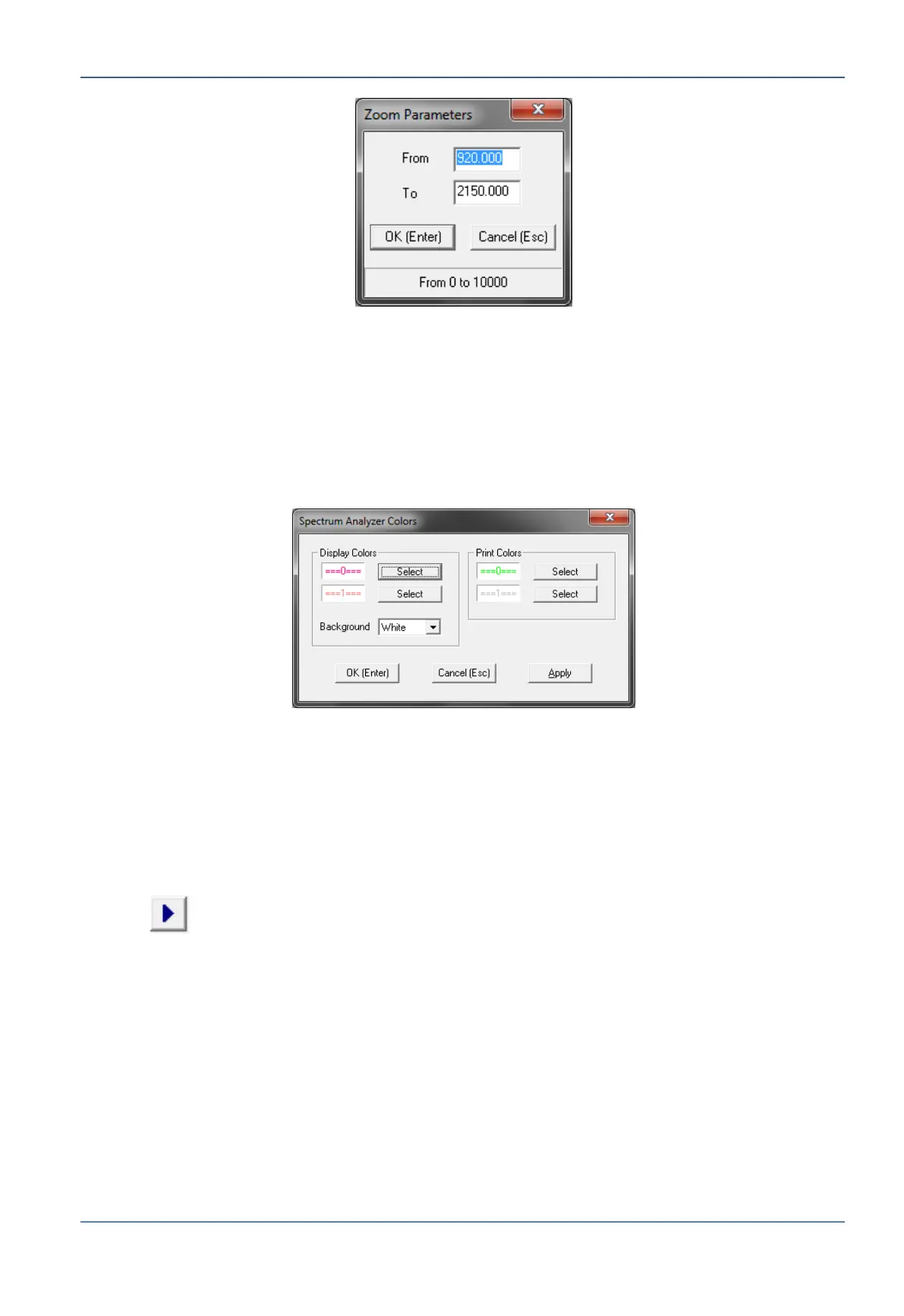
Figure 9-4: Spectrum Analyzer Zoom Parameters Dialog Box
4. To manually Customize graph colors:
Select the Colors option.
Set Display Colors – Any color.
Set Print Colors – Any color.
Set Background Color– Black or white.
Figure 9-5: Spectrum Analyzer Color Parameters Dialog Box
9.1.4 Running a Measurement
1. Make sure the system is not in Step-Track Mode, which deploys the tracking
receiver. If the system is in Step-Track Mode, set the system to Peak Mode.
2. Open the Command menu and select Run, or press [R] on the keyboard, or press on
the button in the shortcut buttons bar.


 To Next Page