Setup Procedure Selecting a Satellite
OceanTRx
TM
4-500 Installation and Operations Manual 7-7
Click OK. The list of available satellites will be displayed.
NOTE: The list may be modified (Add, Remove satellite definitions, channels, etc.), by clicking the
Edit button and using the available management options. See section 8.2 for detailed descriptions
of the Satellite Management options.
7.3.2 Manually Defining a Satellite
You can manually add the definitions of a satellite (that is not currently defined in the
database).
To manually define a satellite or add it to the file
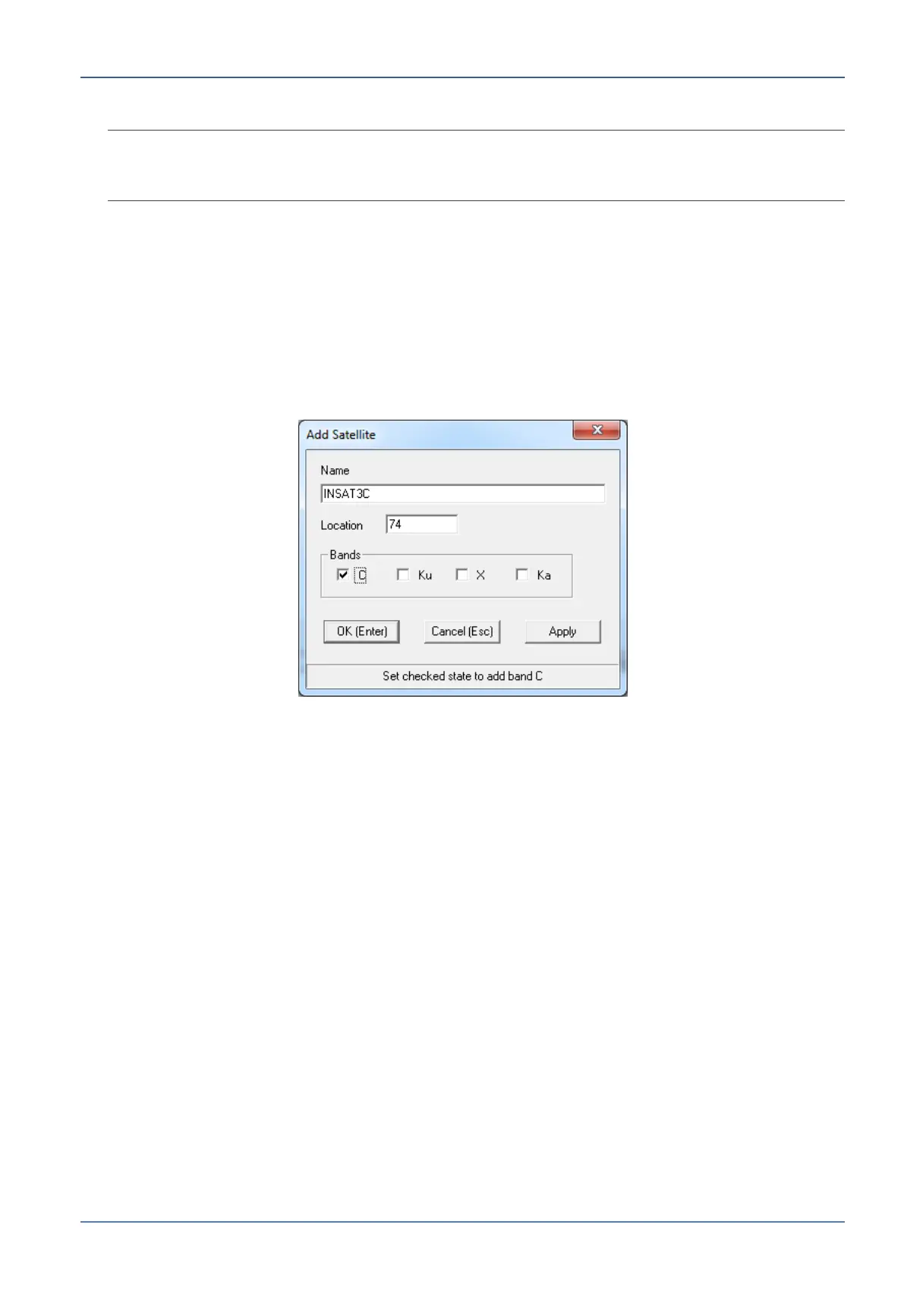
1. Click the Edit button, and click Add. The following dialog appears.
Figure 7-6: Add Satellites Dialog
2. Assign the Satellite Name or (and) Location.
3. Select the Band and click OK. The defined satellite will be displayed.
4. Click the Save button:
If a list is currently displayed, the manually defined satellite will be added to the
list.
Otherwise, you will be prompted to save to a new file.


 To Next Page