Saving Configuration changes Navigating the MTSVLink
6-10 Ocean TRx™ 4500 Installation and Operations Manual
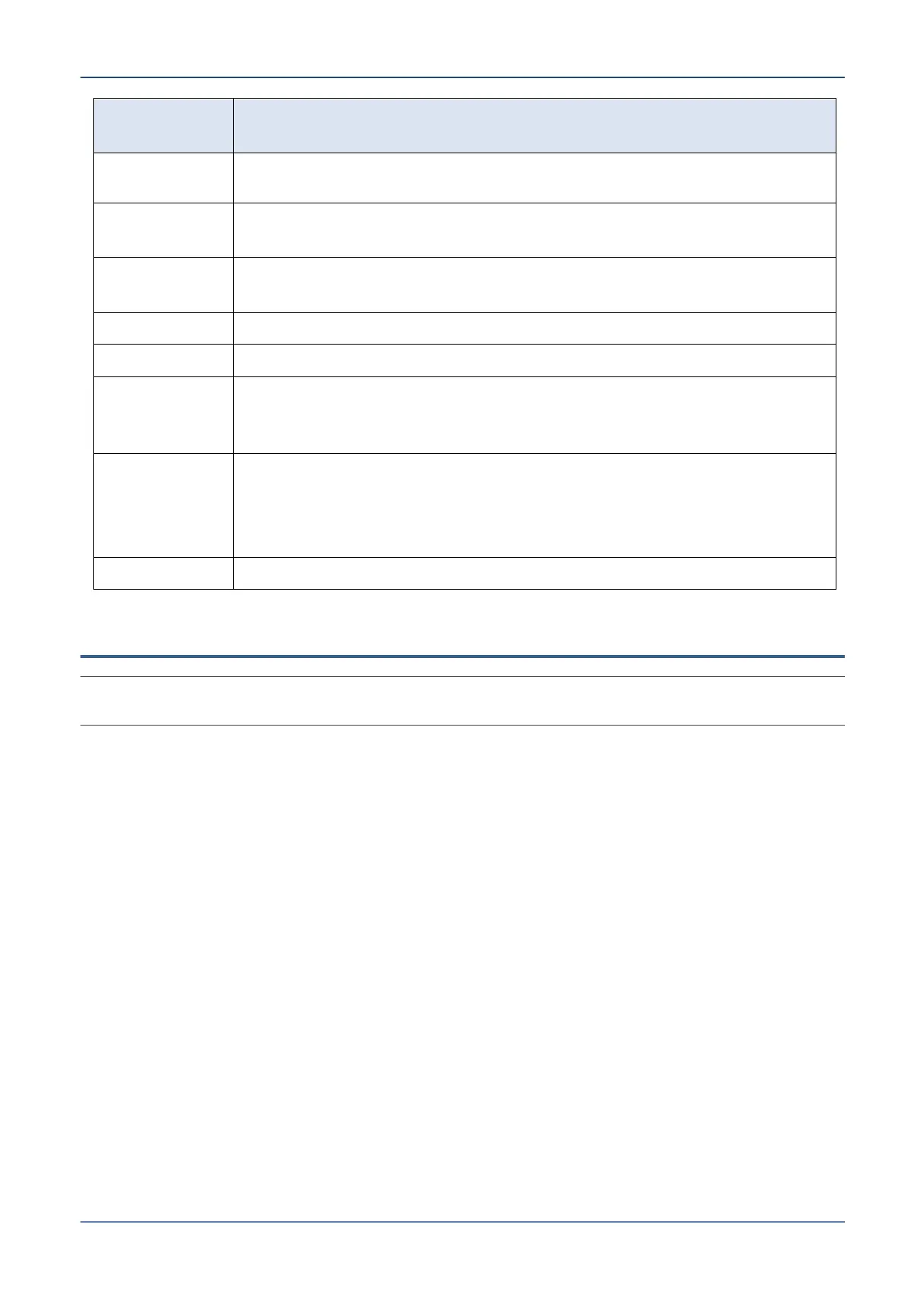
Database (without taking into account the tracking signal level or
tracking frequency for the satellite from the Satellite Database).
Points the Antenna to a user-defined geo-stationary longitude. Can
also be used for satellites whose not included in the database.
Moves the Antenna in an expanding and contracting spiral until the
AGC signal is above the threshold.
Toggles system polarization mode from one to another.
Halts all axes in their current position
Allows manually positioning the antenna for maintenance and
integration purposes, or to find a satellite when the system does not
acquire it automatically.
Moves the system axes to the locations where the axis stow lock pins
can be inserted.
NOTE: Stow position values are preconfigured and should not be
changed. Usually used for maintenance purposes.
Allows you to test the performance of each of the antenna axes.
6.3 Saving Configuration changes
NOTE: System configuration changes must be saved; otherwise, they will be lost when the system
reboots. It is NOT enough to click OK after making changes in a dialog!!!!!!
To save configuration changes
Press [V] on the keyboard and at the prompt, click OK.


 To Next Page