ADE Physical Preparations and Connections Installation Procedure
5-4 Ocean TRx™ 4500 Installation and Operations Manual
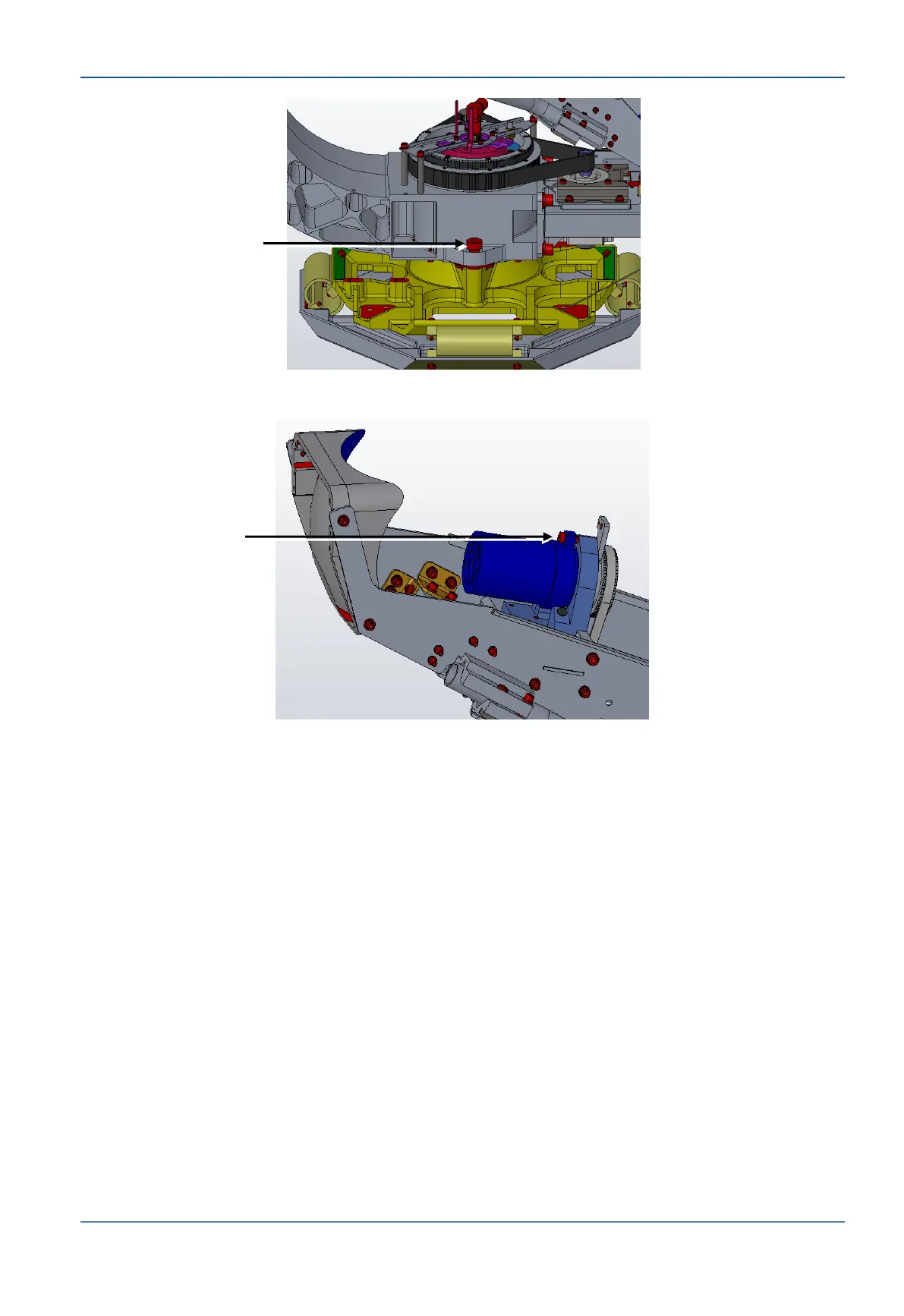
Figure 5-2: Azimuth Axis Stow Pin
Figure 5-3: Polarization Axis Stow Pin
5.2.3 ADE to BDE LMR Coaxial RF Cable Connection
A single coax cable connects the antenna to the CCU side.
To connect the ADE to the BDE
1. Install an N-Type connector on the ADE side of the LMR cable (see Preparing the
ADE-BDE Cable on page 1 for instructions).
2. Attach the cable to the N-Type connector on the ADE side.


 To Next Page