Installation Procedure BDE Installation Procedure
OceanTRx
TM
4-500 Installation and Operations Manual 5-7
5.3.2 CCU Installation Procedure
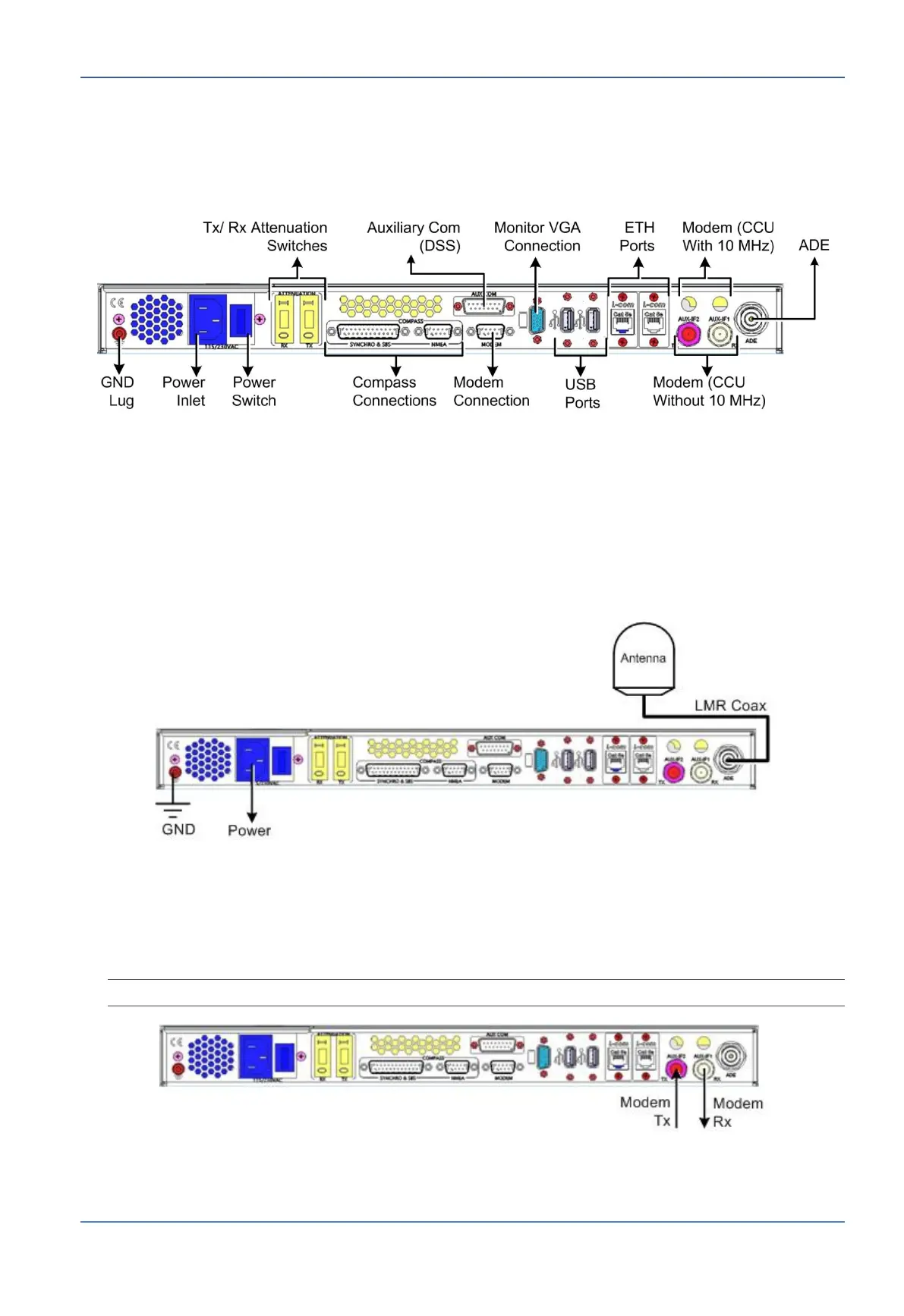
Figure 5-5: CCU Rear Panel Interface
To connect the CCU
1. Connect the following cables:
LMR Coax cable from ADE
Ground cable from ‘GND Lug’ to rack's Ground
Power to UPS 115/230 VAC; 1.0A/0.5A
Figure 5-6: CCU Power and Antenna Connections
2. For CCU without 10MHz reference signal - connect the Modem as follows:
CCU Tx port to Modem Tx port.
CCU Rx port to Modem Rx port
NOTE: The modem supplies the 10MHz reference signal with the Tx signal.
Figure 5-7: CCU without 10 MHz Tx/Rx Modem Connections


 To Next Page