Main Screens Navigating the MTSVLink
6-4 Ocean TRx™ 4500 Installation and Operations Manual
3. Verify antenna is operational - screen view will be populated (not empty of
parameters).
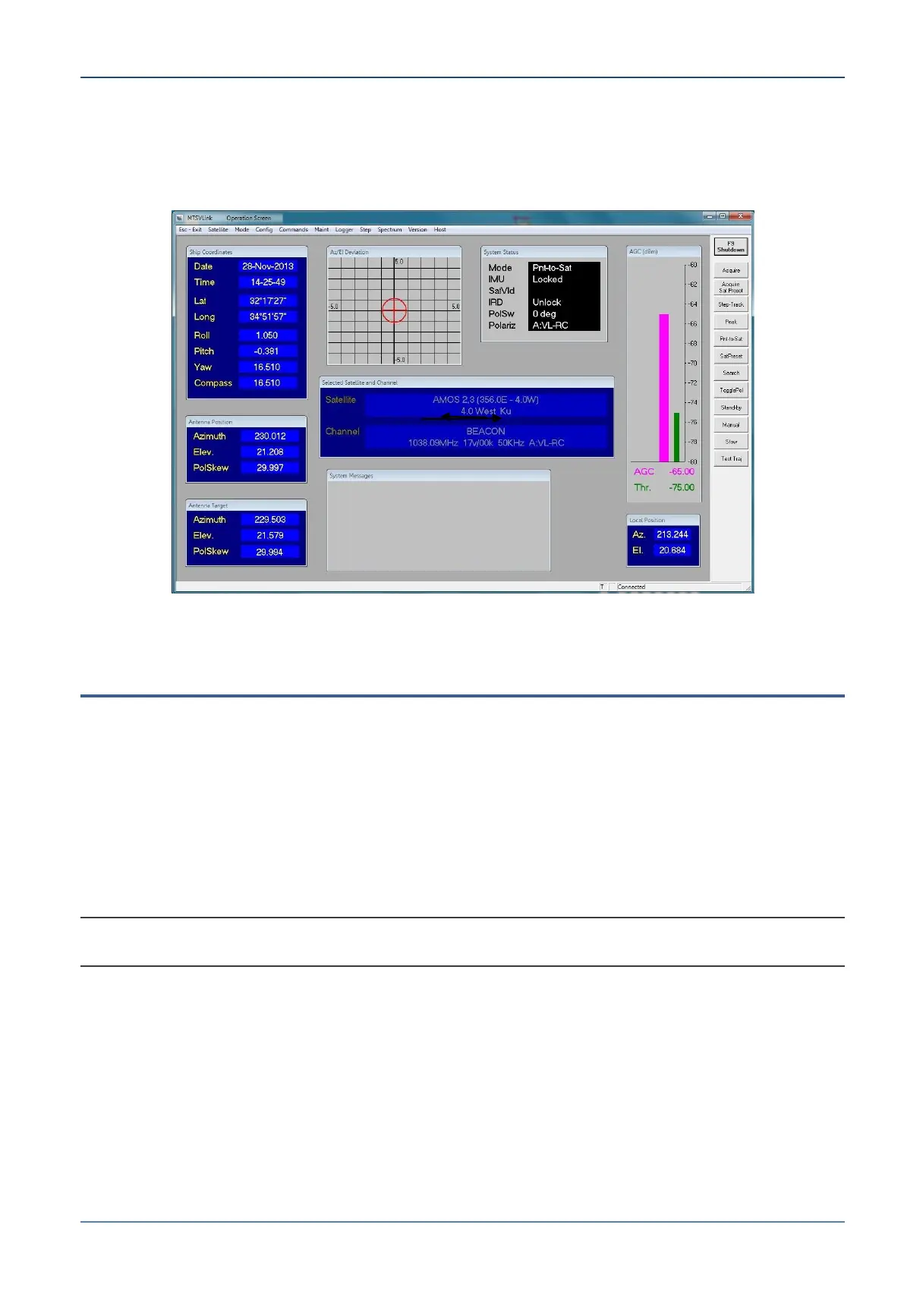
Below is an example of the Operation screen – before setup, only some of the
parameters may be displayed.
Figure 6-3: Operation Screen
6.2 Main Screens
Three main screens are available:
Startup Screen - the application always begins with the Startup screen from which the
screen can be selected.
Basic Screen – allows definition of a few basic (e.g. communication) parameters and
monitoring capabilities. This mode is accessed by default upon CCU power up (or
reset).
Operation Screen – provides all the required configuration options. This mode is
entered using a password (AL-7200)
NOTE: Saving configuration changes. System configuration changes must always be saved;
otherwise, they will be lost when the system reboots.


 To Next Page