Navigating the MTSVLink Opening a Session to the CCU
OceanTRx
TM
4-500 Installation and Operations Manual 6-3
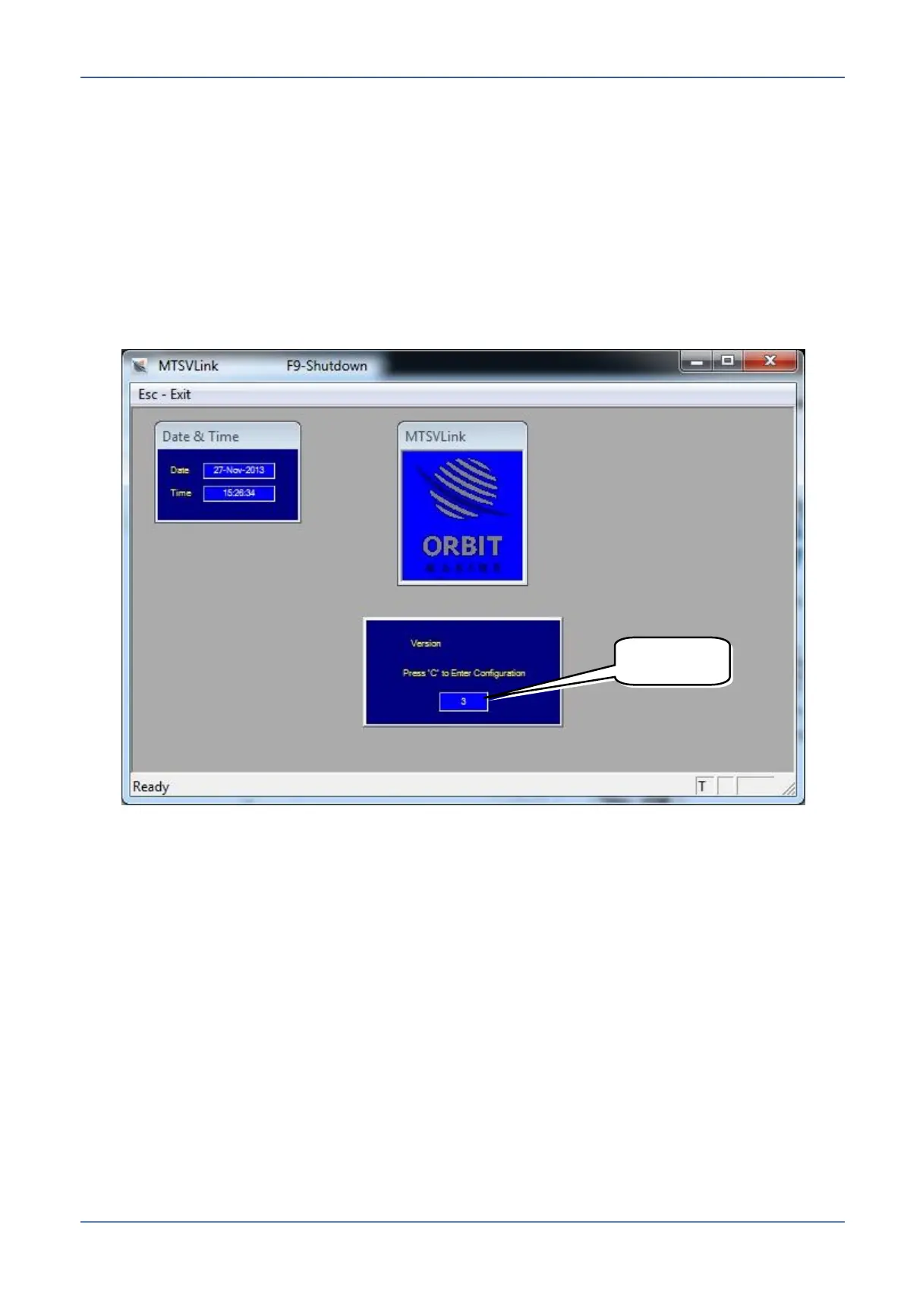
2. Launch the MTSVLink application. The Initial screen appears.
Note the countdown:
When the countdown is complete, the Basic (monitoring only) screen is
automatically accessed.
To access the Operations (configuration and control options) screen, do the
following:
o During countdown - press [C] and enter the password al-7200
o From the Basic screen (countdown completed) - press [O] and the password
al-7200
Figure 6-2: Startup Screen Showing Countdown


 To Next Page