Setup Procedure Selecting a Satellite
OceanTRx
TM
4-500 Installation and Operations Manual 7-9
7.3.3.2 Configuring Channels
NOTE: The required parameter values are provided by your satellite operator.
To define channels manually
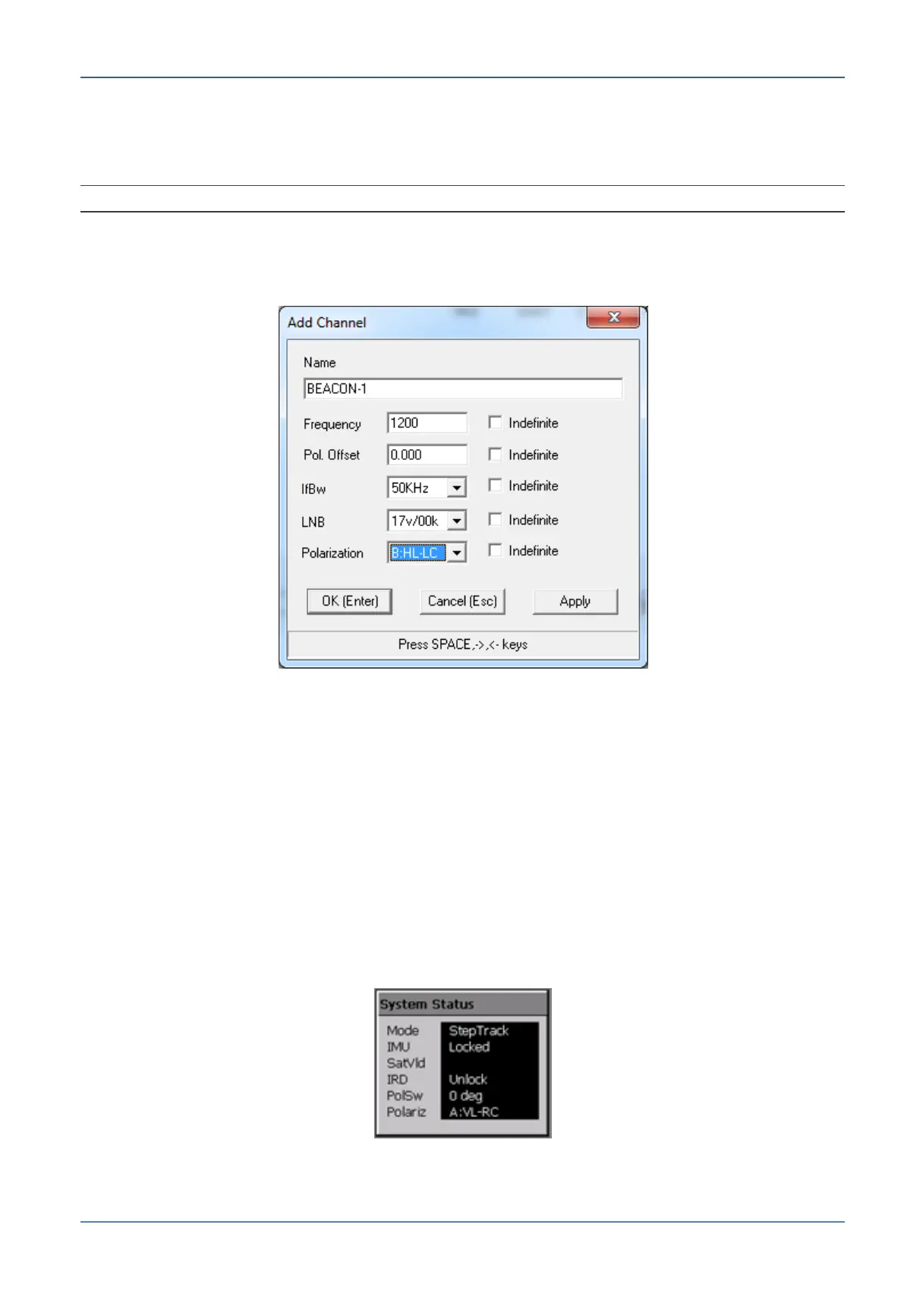
1. Click the Edit button and click Add Channel. The following dialog appears.
Figure 7-7: Add Channels Dialog
2. Enter the channel Name and define the remaining parameters according to
information provided by your satellite operator. Click OK.
7.3.3.3 Channel Polarization
The system polarization must be configured to ensure good acquisition of satellite signals.
In addition, for each linear satellite, the polarization offset must be configured.
Polarization offset for satellites is configured using the Satellites database (see
Section 8.2.1).
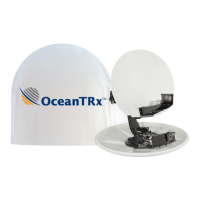
The current system polarization can be seen in the Polariz parameter of the System
Status box on the Operation Screen.
Figure 7-8: System Status Box
In the figure above, the system polarization is vertical-left, right-circular (A:VL-RC).


 To Next Page