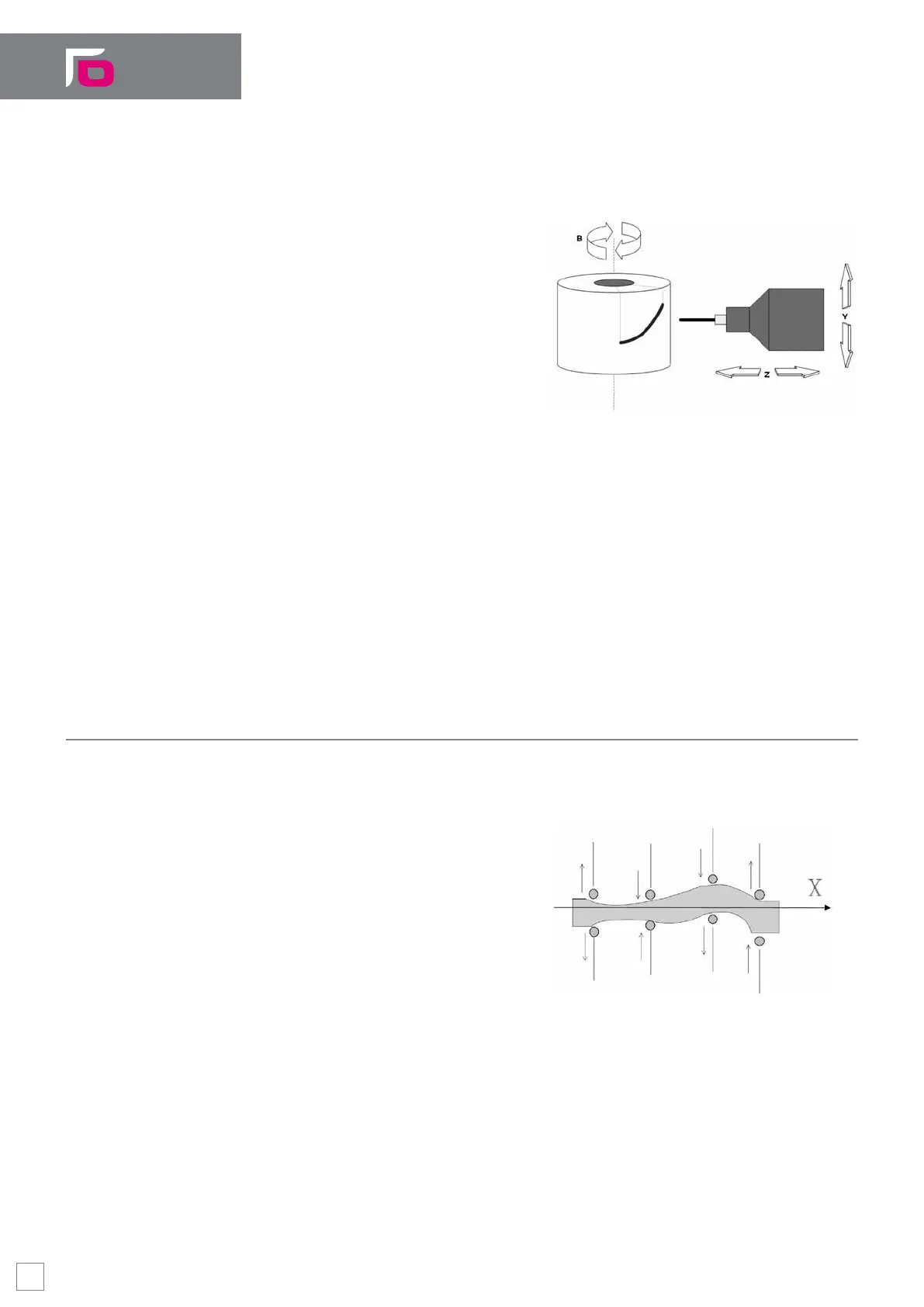
Cylindrical Coordinates
This feature is used when a linear X axis and
a rotary B axis are moved by programming
the axes positions on a Cartesian (e.g.
WX) plane. Virtual X axis movements are
the same as X physical axis movements,
whereas every virtual W axis movement
corresponds to an arc that -depending on
the cylinder radius is translated into an
angular movement of the physical B axis.
This function is enabled by the UVC (Use
Virtual Cylindrical) code.
Machining with cylindrical coordinates
Non-orthogonal axes
The UVA (Use Virtual Angular) command makes it possible to program non-orthogonal
axes by treating them as if they were orthogonal.
This type of virtualization is used when moving two linear XY axes that are not mutually
orthogonal, by programming the coordinates on a virtual orthogonal (e.g. UV) plane. The
U axis, the abscissa of the new pair of axes, will be coaxial with axis X, whereas axis V
will be perpendicular to U, forming an angle of 90°.
Multi-Axis Electronic Cam
This option allows a group of slave axes to be moved along a specic path, depending
on the position of a master. While the master moves, the system moves the slaves (for
example, N heads carrying different
tools), which simultaneously follow a
trajectory but independent of each other.
In addition to the positions, the electronic
cam controls with accuracy the speed of
movement of the slave axes by adapting
it to the movement of the master axis,
thereby ensuring that the system covers
the required prole in optimal conditions.
Example of machining with one master (X) and eight slaves
The relationship between the positions of the master axis and the slave one, can be
created off-line by a CAD or through graphical applications. Advanced PEG (Position
Event Generator) functionalities simplify the application development permitting to
synchronize output signals with the master axis positions while the exibility of the
system is guaranteed by many other features like:
Cams managed by Part Program and PLC
Cams dynamic definition (up to 64)
Software Key Features
24


 To Next Page