CNC Ofine Simulator
Typically, CNC Ofine Simulators are based on software that replicates the original CNC
software. This design requires continuous re-alignment of the two software versions and
increases the possibility of diverse reactions of the simulator compared to the real CNC.
With OPENcontrol Ofine Simulator the same software can be run on the PC as the
one running on the CNC. This is true for all modules: the real time OPENcontrol CNC
algorithms, the Part Programs execution, the PLC program execution as well as all
programming and HMI tools (4Control, WinNBI).
The CNC Ofine Simulator allows development, running and debug of the PLC programs. It
also allows writing and testing of part programs and development and debug of software
communicating with the CNC without needing the real CNC hardware but with the same
behaviour.
The same real time software modules running on the CNC, together with a software layer
permitting to run two Operating Systems, are installed on the PC giving the user the
Windows™ (version 10 and previous) interface. To manage the OPENcontrol CNC “side”
you will only need the tools normally used with the “real” CNC.
When a new CNC software version is released, it is enough to update the OPENcontrol
and the Ofine simulator by using the same software and following the same procedure.
The difference between a real Osai CNC and its simulator is of course the real time tick
that must be lower on the PC (a minimum tick of 1 mSec is supported) and the absence
of the connection with devices (servo-drives and I/Os) that can be simulated via the PLC.
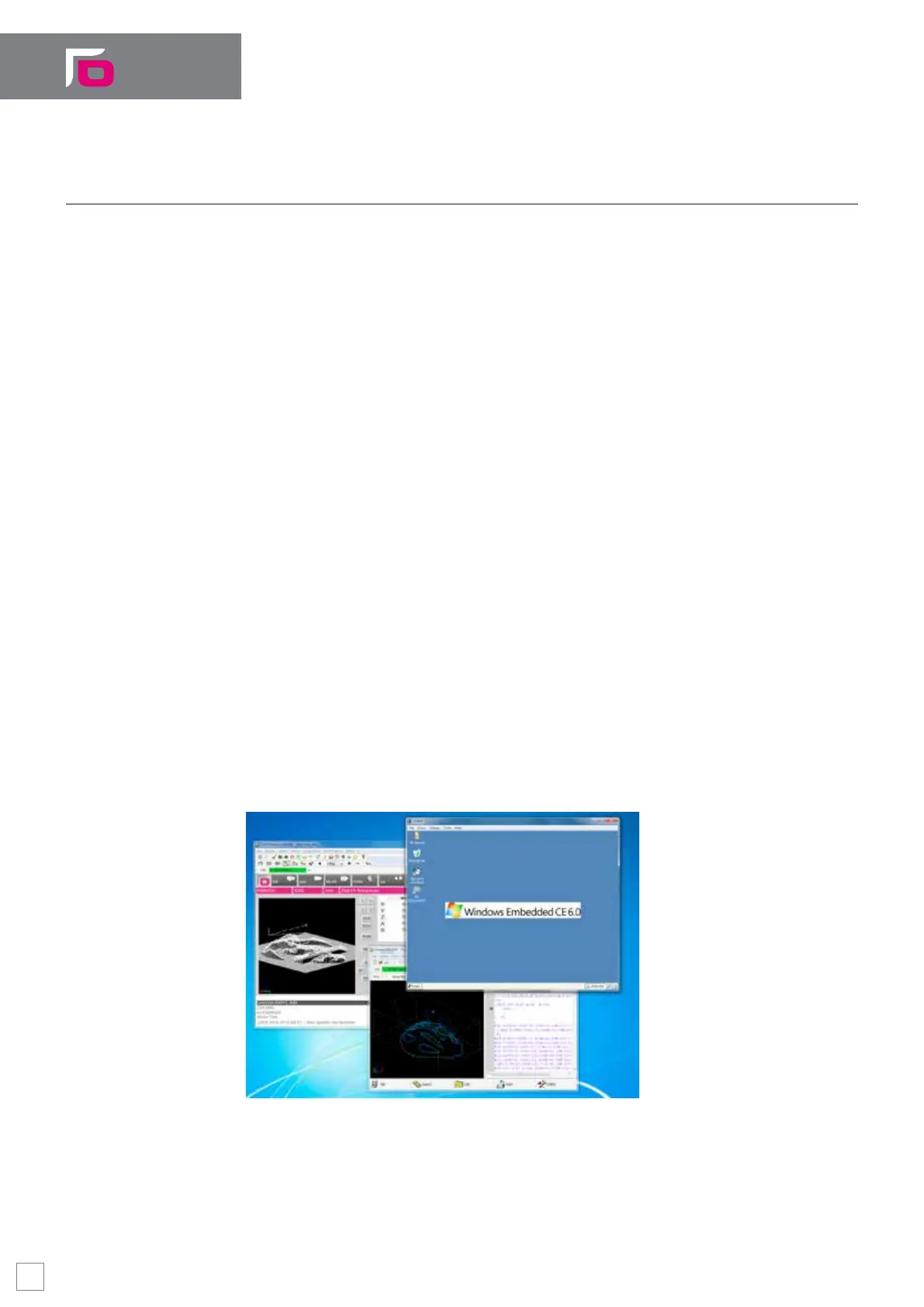
The Windows™ screenshot below displays the WinNBI screen, the 4Control PLC programming
tool window and a remote desktop window showing the "CNC side" Windows™ CE desktop
running on the same PC. In the remote desktop window, the CE version of WinNBI application
is also running.
Windows 10™ screen shot – OPENcontrol Ofine simulator is running
Software Key Features
28


 To Next Page