69
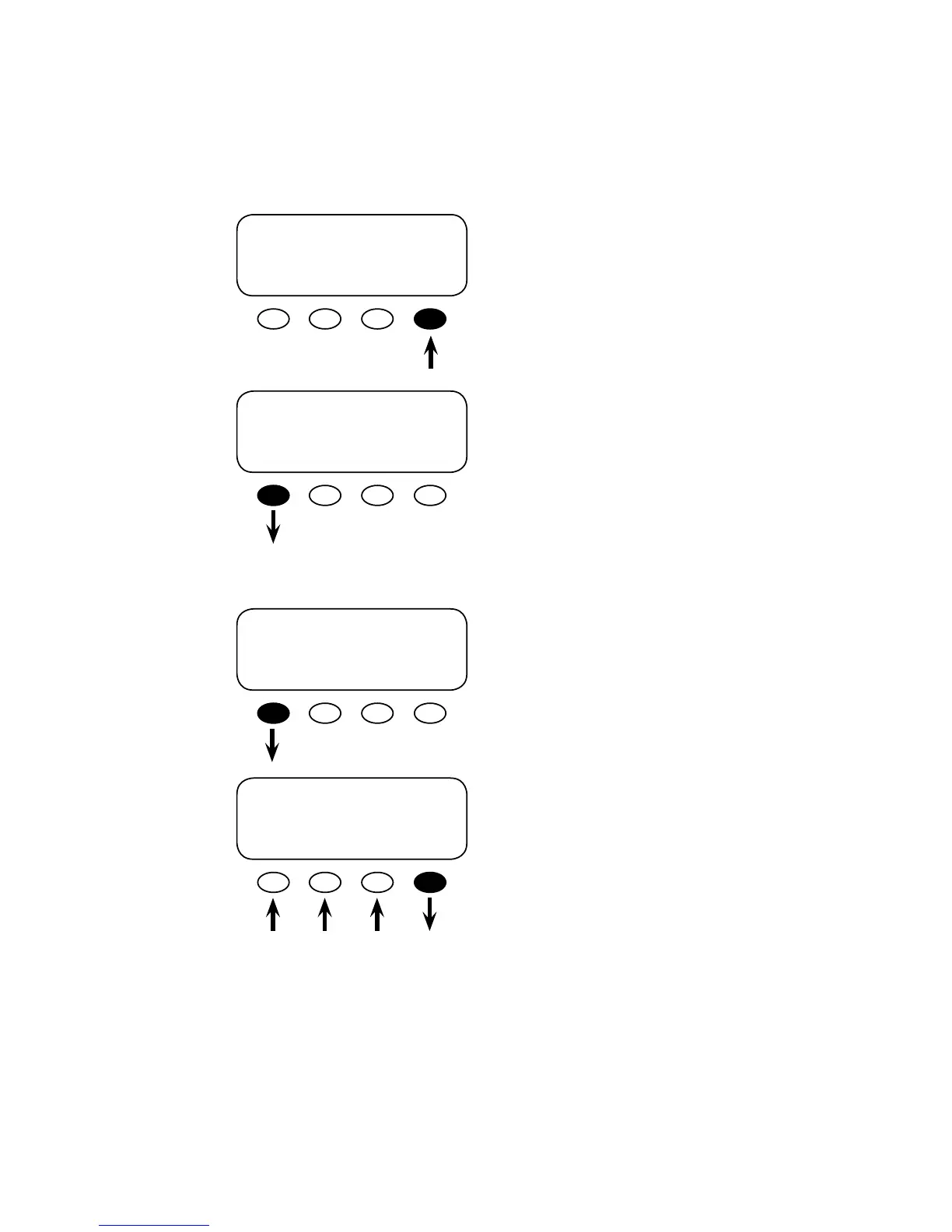
AGS Enabled
is is the overall control for the AGS Mode. If
AGS is not enabled, none of the AGS settings
or controls will work. Enable the AGS rst by
pressing the YES so key and then establish your
settings.
Aer enabling the AGS Mode, press the
<DOWN> so key to continue to the AGS Con-
trol menu.
is screen allows the AGS Mode to be changed.
Pressing <CHANGE> brings up a screen that
allows the user to switch choose from three AGS
control modes sown below.
is screen oers three options for AGS control:
• OFF manually de-energizes the FX AUX or
FLEXnet DC relay output and stops the gen-
erator regardless of any AGS setting; this is
displayed as MAN – OFF.
• AUTO allows AGS settings to start and stop the
generator automatically and is displayed as ei-
ther AUTO – ON (when the AUX is activated),
or AUTO – OFF (when the AUX is deactivat-
ed).
• ON will manually energize the FX AUX output
and start the generator regardless of any AGS
setting; this is displayed as MAN – ON.
• OFF and ON are considered “manual” selec-
tions, hence the MAN-OFF and MAN-ON
screen displays.
ADV/MATE/AGS/SETUP------------
AGS enabled: NO
DOWN UP NO YES
ADV/MATE/AGS/SETUP-------------
AGS enabled: YES
DOWN UP NO YES
ADV/MATE/AGS/SETUP-------------
AGS control: MAN-OFF
DOWN UP CHANGE
GEN START CONTROL
currently: MAN-OFF
OFF AUTO ON OK
AGS Control


 To Next Page