82
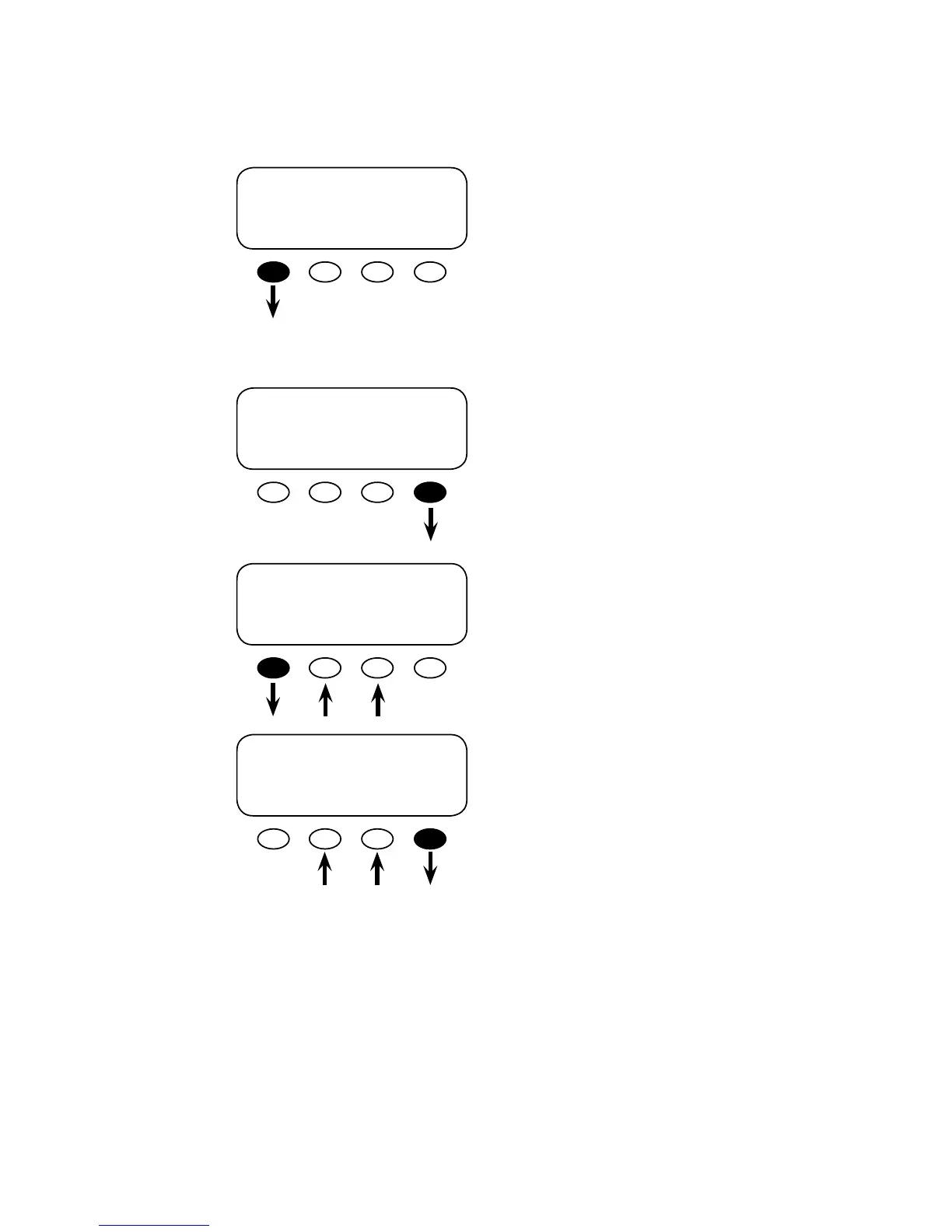
ADV/MATE/AGS/MR----------------
weekday: 12:00A
must run start time
DOWN AGS CHANGE
ADV/MATE/AGS/MR------------------
weekday: 12:00A
must run stop time
DOWN UP CHANGE
WEEKDAY MR STOP
adj hour 12:00A
DOWN INC DEC
WEEKDAY MR STOP
adj min 12:00A
INC DEC DONE
Weekday Stop
weekday must run stop time is the end of the Must
Run time period for Monday-Friday. Press the
<DOWN> so key to go to the weekday must run
stop screen.
To adjust the start time hour and minute settings,
press the <CHANGE> so key.
Adjust the hours using the <INC> and <DEC>
so keys. When nished, press the <DOWN> so
key to adjust the minutes.
Adjust the minutes using the <INC> and <DEC>
so keys. When nished, press the <DONE> so
key to return to the ADV/MATE/AGS/MR week-
day must run stop time screen.


 To Next Page