Issue: 1.2-17-2 Ovation Systems Ltd Page 12
www.ovation.co.uk
3.2 Formatting the SD Card
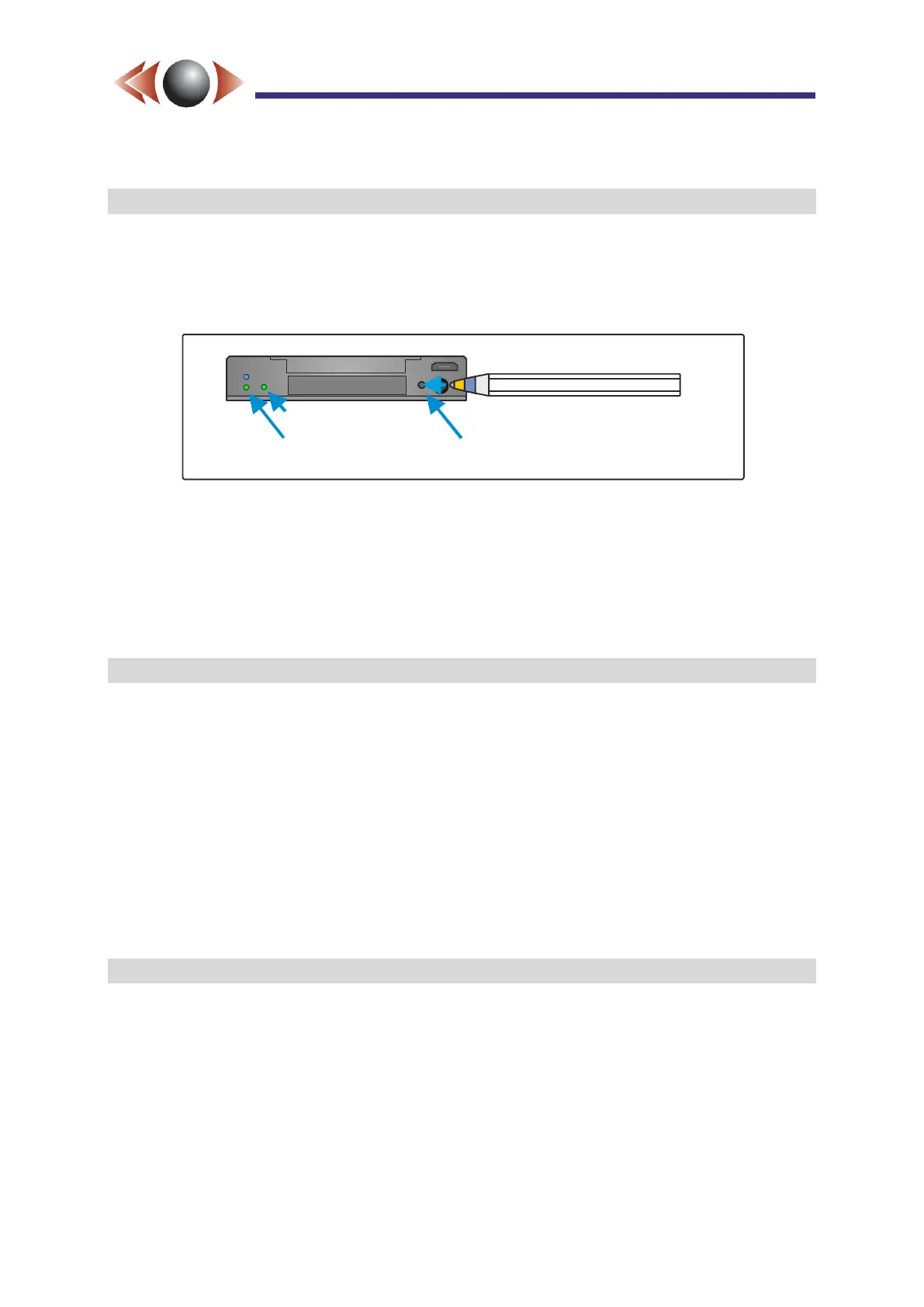
IMPORTANT► It is essential that all SD cards are formatted (FAT32) before use by
inserting the card and pressing the front panel “Format” button (see below). Format starts
when the DVR status LED starts flashing red, at which point the format button may be
released. Format is complete when the DVR status LED stops flashing.
Figure 15: FlashBack-4 Front Panel Format Button
NB► Once the format is complete, indicated by a steady DVR status LED*, wait a further
30 seconds before removing the card. This allows time for the Wizard and Player files
to be added.
* if GPS is enabled, but not connected and/or locked, then the DVR status LED
shows static green with a short red flash every 2.5 seconds.
3.3 Switching On the Unit
When power is connected, and the red [Start] button is momentarily pressed (or external
“Control Input 1” is connected to ground), the unit “wakes-up” and the operating system
boots. This takes around 5 seconds and is indicated by a flashing red DVR status LED, see
Figure 16, below.
On power up, the unit will resume any active operation from the time it was switched off or
shut down.
After the system has booted, it will check that the card is updated with the latest wizard and
player (indicated by green/short red flash). This process may last up to about 30 seconds,
however normal operation (eg recording) can start during this time.
3.4 Setting the Date and Time zone
The unit is shipped with date and time set to UK time. It is therefore important to set the
time-zone before using the configuration wizard. Please see section 4 on page 15
To format, insert card and
push recessed button with a
ballpoint pen or similar
Video Status
DVR Status LED
Format Switch



 To Next Page