Issue: 1.2-17-2 Ovation Systems Ltd Page 16
www.ovation.co.uk
4.1 Setting the Date and Time
It is important to set date, time and time-zone before use. This is achieved by the “System”
tab of the webpage interface (Section 6.2, page 22), or by the Wizard.
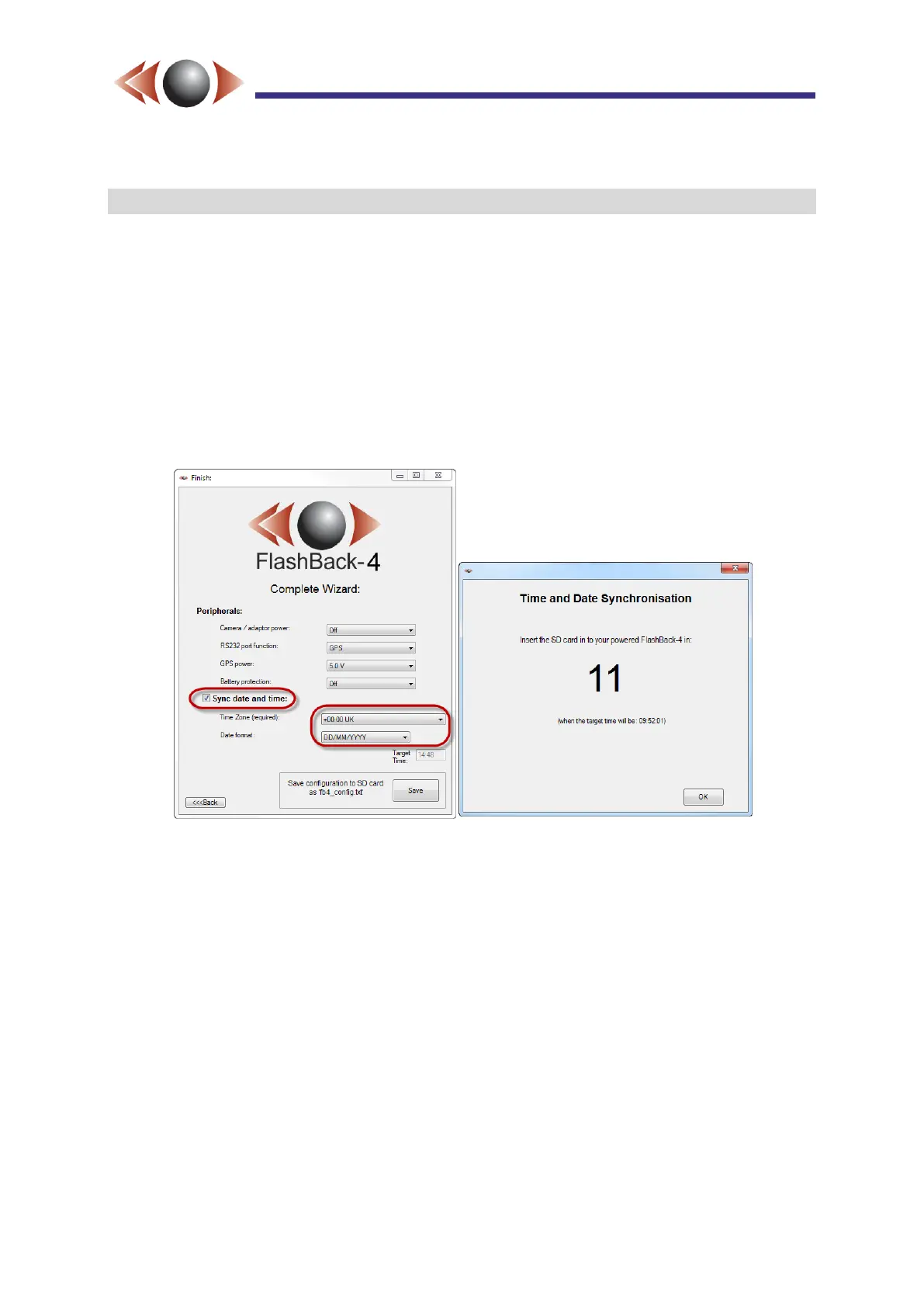
In the case of the Wizard, on the last page, check “Sync date and time”. Set the appropriate
time-zone and date format for the unit. Note: the time is set to your PC’s time, so please
make sure this is correct before running the Wizard.
Click [Save] and remove the card from your PC and wait until the onscreen count has
reached “Insert Card” before pushing home into a powered FlashBack-4. The configuration
and the new date / time information is loaded into the FlashBack-4 at this point.
Figure 18: Setting the Date and Time with the Wizard.
If a network connection is available, navigate to the System tab on the device web page,
then:
1. Enter the desired changes in the Date, Time and Timezone boxes
2. Click on the Submit button



 To Next Page