Issue: 1.2-17-2 Ovation Systems Ltd Page 19
www.ovation.co.uk
5.3 Using Ovation’s Web Browser Player
Ovation has developed a player that allows a user to quickly find events
and review the recordings made by FlashBack-4. This runs only in the
FireFox browser. The player can be started by opening the “player.html"
file in the SD card root directory.
IMPORTANT► For the player to operate, it is vital that VLC and FireFox
are configured as described in Sections 8 and 9, pages
24 and 25.
TIP► If Firefox is not your default browser, right-click on “player.html” and select
“Open with” > “Firefox”.
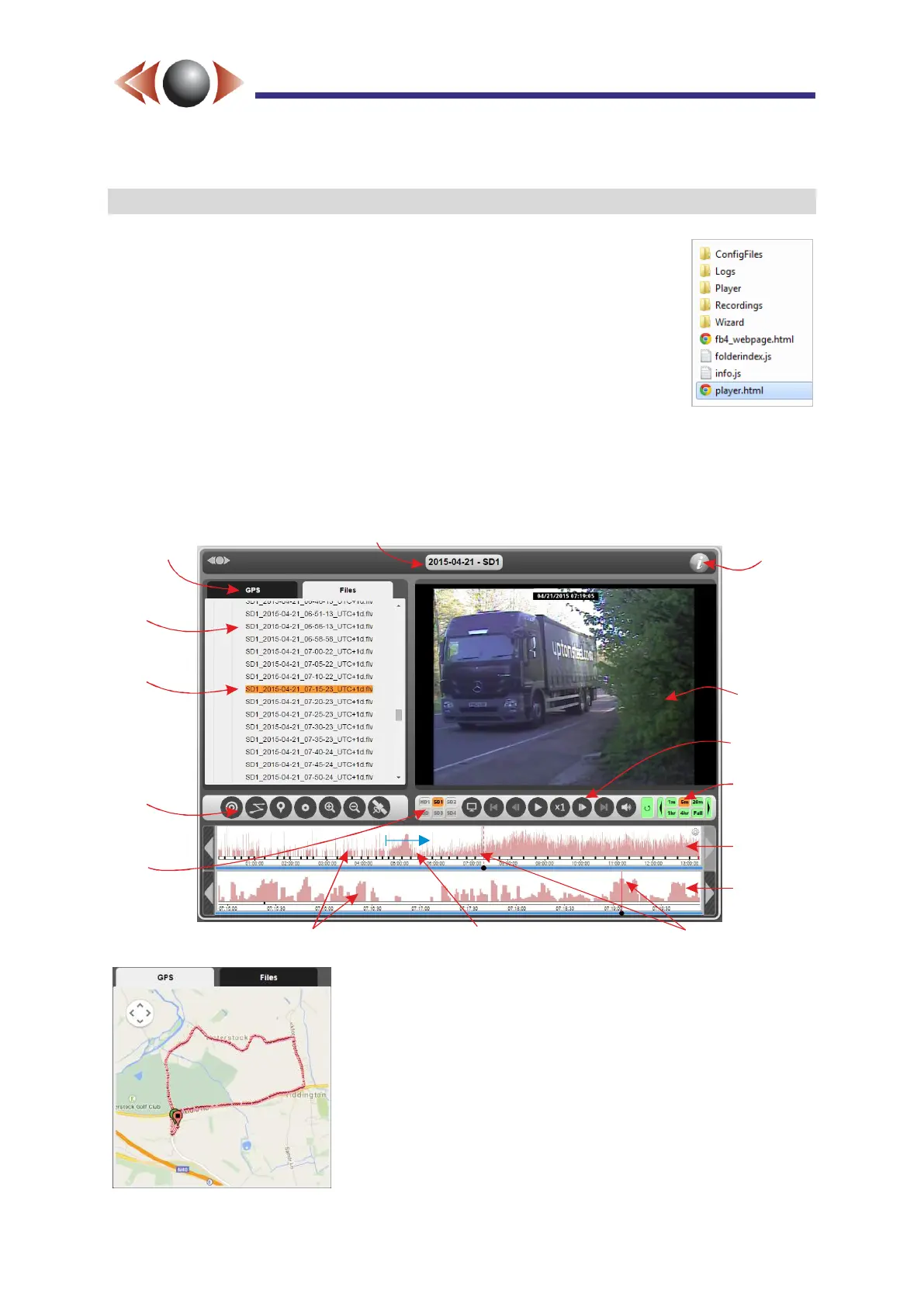
When FireFox has been set up, the player will open, and a window similar to the example
below will be displayed:
If GPS information has been recorded alongside the video,
the left hand pane will automatically show a Google map with
the GPS track (NB: internet connection required). The red
dots on the map correspond to the GPS fixes over the time
span of the zoomed timeline. Clicking the fixes on the GPS
map, or the lower timeline, cause the playback to jump to the
video recorded at that position.
For detailed information on all the SD Player capabilities and
usage, please see the Player User Guide, accessible from
the i button at the top right.
Video
window
Help and
Information
Zoom
controls
Player
controls
Day
timeline
Zoomed
timeline
Motion/activity graphs
Drag mouse to zoom
Play markers
Recordings
List
Current
playing
recording
GPS
window
toolbar
Video
source
selector
Select the GPS
window
Date and source for current video



 To Next Page